24
Troubleshooting
CALL
CUSTOMER
SERVICE
If you are still experiencing any
problems, contact the Customer
Service Representative in your area
using the contact information
on weber.com.
GREASY BARBECUE (Peeling Paint & Flare-Ups)
SYMPTOM
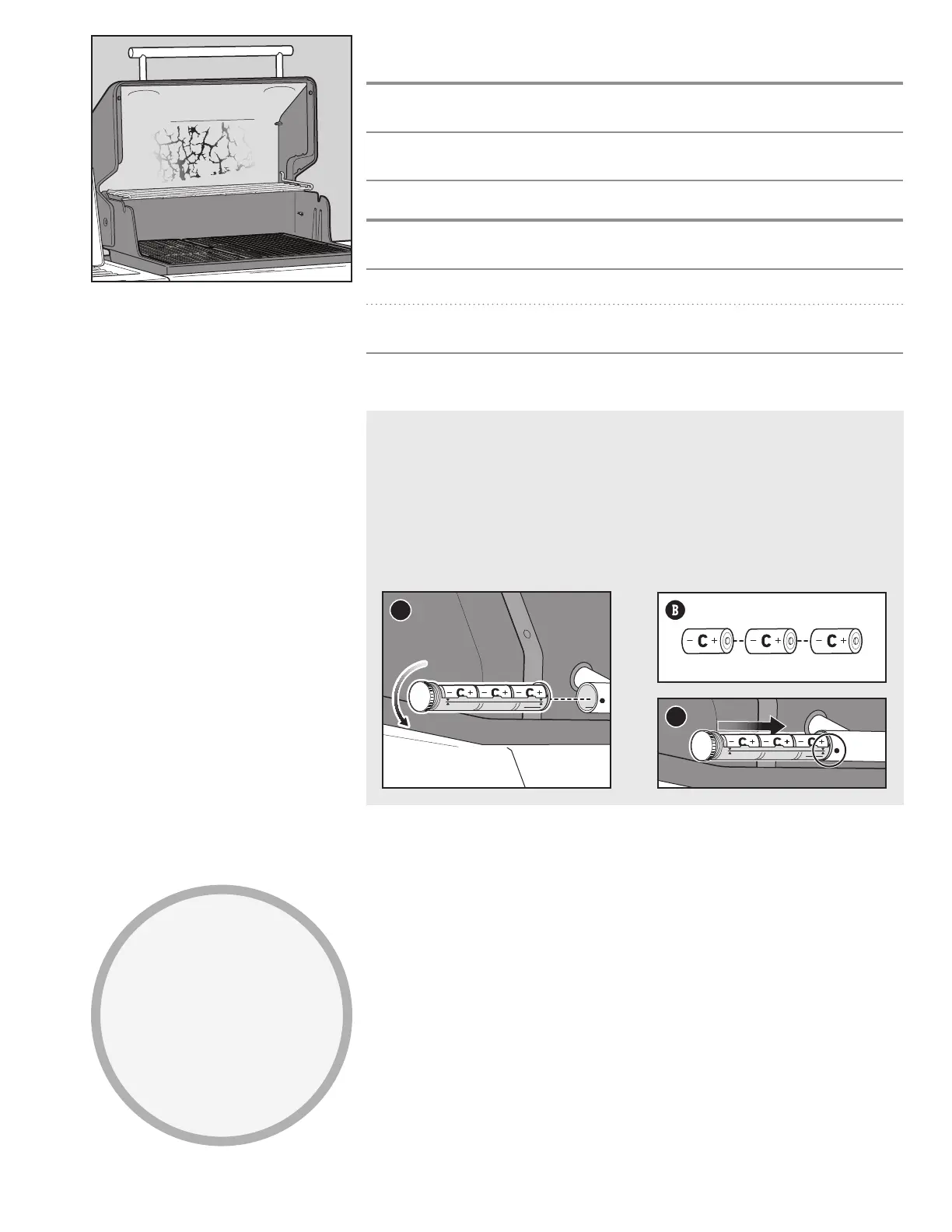
• Inside of lid appears to have the appearance of peelingpaint.
CAUSE SOLUTION
The flakes you see are accumulated cooking vapours
that have turned into carbon.
This happens over time after repeated use of your
barbecue. This is not a defect. Clean the lid. Refer to
the “Product Care” section.
SYMPTOM
• Experiencing flare-ups when barbecuing or preheating.
CAUSE SOLUTION
There is leftover food from the previous meal. Always preheat the barbecue on the highest setting for
10 to 15 minutes.
The inside of the barbecue needs to be cleaned
thoroughly.
Follow the steps in the "Cleaning and Maintenance"
section to clean the barbecue inside from the top
down.
Replacing Batteries for the Barbecue Lighting
Use alkaline batteries only. Do not mix old and new batteries or dierent types of batteries (standard,
alkaline, or rechargeable). If you do not plan to use the barbecue for a month or more, remove the
batteries.
1) Close the lid. Locate the battery housing on the side of the lid handle and unscrew the cap (A). Do not
change batteries with the lid open.
2) Remove the battery sleeve.
3) Replace three size C batteries (B).
4) Line up graphic indicators (C) on the sleeve and handle as you reinstall the sleeve. Tighten cap.
NOTE: Periodically wipe the lenses with a damp cloth to keep the lights illuminating brightly.
A
C



 To Next Page