5 Using the Auxiliary Serial connector
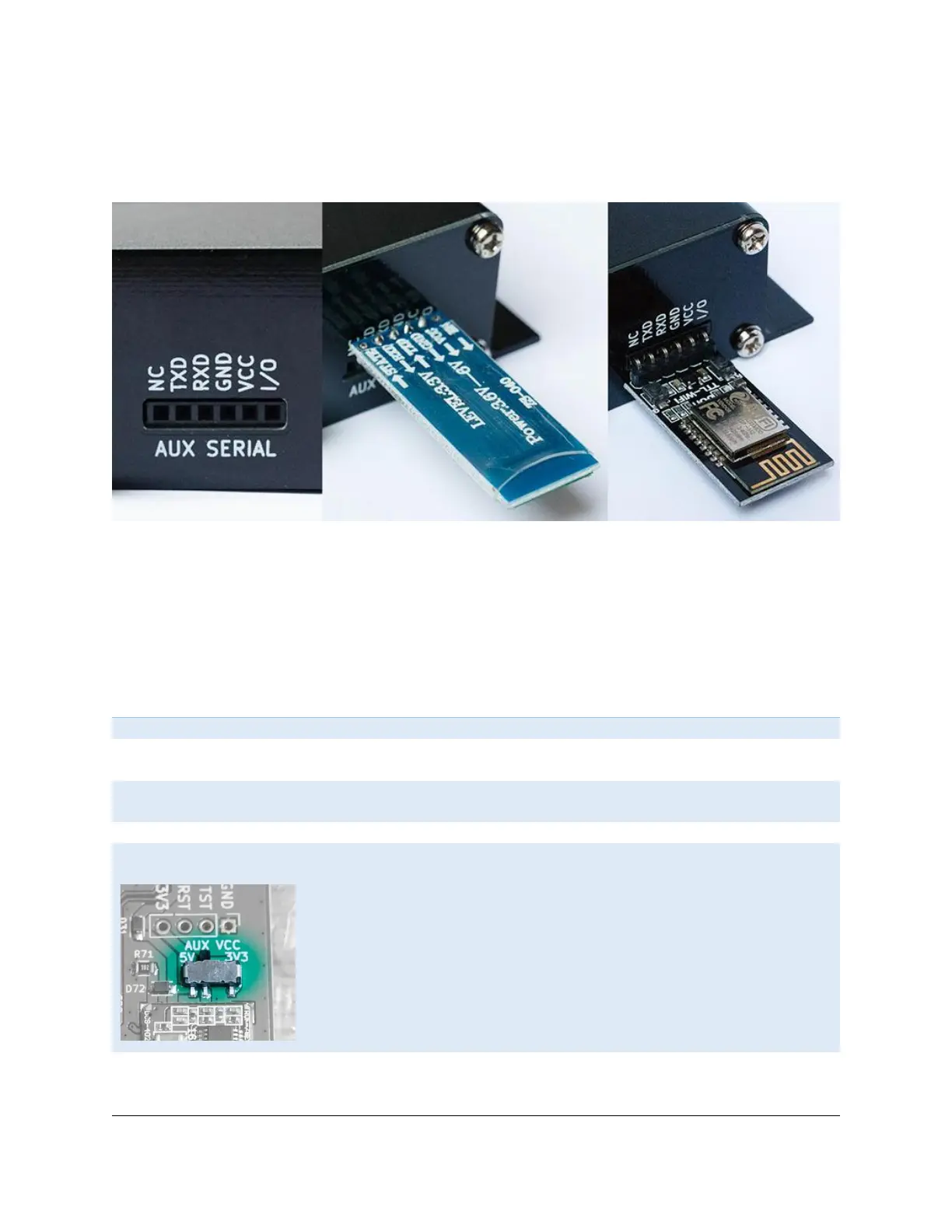
For tinkerers, dAISy 2+ provides an auxiliary serial port on the rear of the unit. This connector can be
used to process AIS messages with other devices.
The pinout of the serial connector is compatible with HC-05/HC-06 Bluetooth modules and DT-06 WiFi
modules widely available on eBay. It can also be used to connect dAISy with other devices like data
loggers, Arduinos etc.
The serial output is enabled by default and can be configured in the debug menu (see chapter 3.2). It
shares the port with the NMEA 0183 output. This means, that both will always output the same data and
at the same data rate.
This pin is not connected
Transmit data, output, 3.3V – dAISy transmits data on this pin. Typically,
this signal is connected to the RXD pin on the other device.
Receive data, input, 3.3V – dAISy receives data on this pin. Typically, this
signal is connected to the TXD pin on the other device.
Ground – This pin must always be connected to GND on the other device.
Power – Use this pin to power your device from dAISy. The output voltage
can be set to 3.3V or 5V with a switch inside dAISy. Maximum current is
150mA at 3.3V or 300mA at 5V.
This pin can also be used to power dAISy from an external 5V or 3.3V
power source. If doing so, double-check the voltage selection switch to
avoid damaging dAISy.
Note, that the voltage selection switch does NOT change the voltage level
of the other pins. All other pins are 3.3V only!
Spare input or output pin, 3.3V – This pin is currently not in use.


 To Next Page