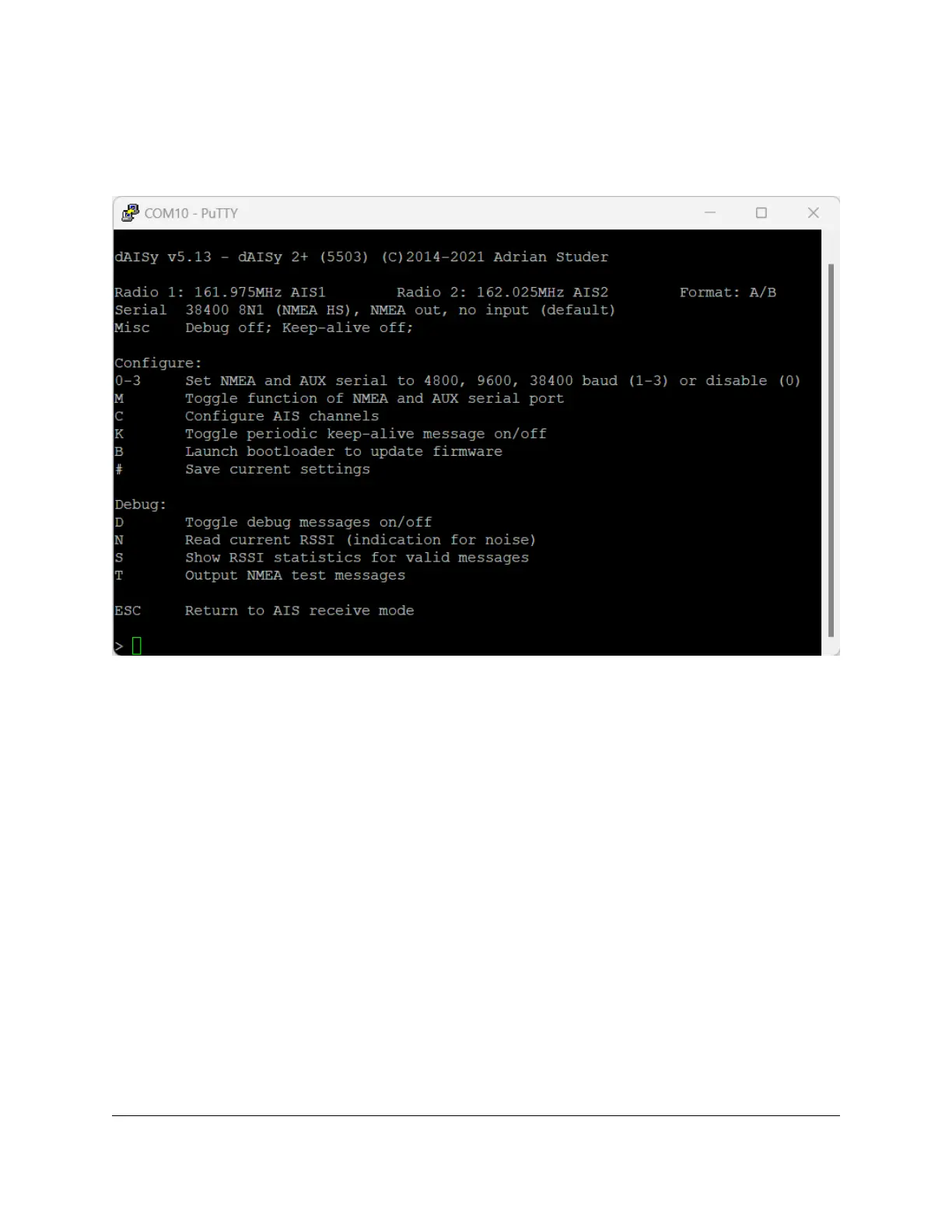
3.2 Configuration and debug menu
When connecting to dAISy with a serial terminal program (e.g. Putty or Termite on Windows, screen on
Linux and OS X), pressing ESC will bring up a menu with a few configuration and debug options.
3.2.1 Configuration options
0-3: Control the speed of the NMEA and auxiliary serial ports at the back of the device. Pressing 1
enables the port with a speed of 4800 baud, 2 is for 9600 baud, and 3 is for 38400 baud. Pressing 0 turns
the NMEA and aux serial ports off. The recommended setting is 38400 baud.
M: Selects the function of the auxiliary serial port.
1. NMEA output: Output AIS messages as NMEA AIVDM sentences.
2. NMEA input: Act as an input for NMEA sentences, for example from a GPS module. All NMEA
sentences received through the auxiliary serial port will be forwarded to the other ports.
C: Configure the radios of the dAISy to listen to specific AIS channels. The dAISy 2+ has two radios, which
by default are configured to listen on channel A at 161.975 MHz and channel B at 162.025 MHz
respectively. The dAISy 2+ also supports receiving the less common “Long range AIS” channels at
156.775 and 156.825 MHz.
K: If keep-alive is enabled, the AIS receiver will periodically output a dummy message. This is only
required in special setups, where another device may disconnect when there is no traffic.
B: Enter boot loader mode for firmware updates. dAISy exits this mode through power-cycling, after a
20 second timeout without further activity, or after completing firmware upgrade.


 To Next Page