2.6 Configuration of OpenCPN
OpenCPN is a free chart plotter and navigation software. Among many other things, OpenCPN supports
input from AIS receivers to display the position of ships on its charts.
You can learn more about OpenCPN and download it on the OpenCPN web page: https://opencpn.org
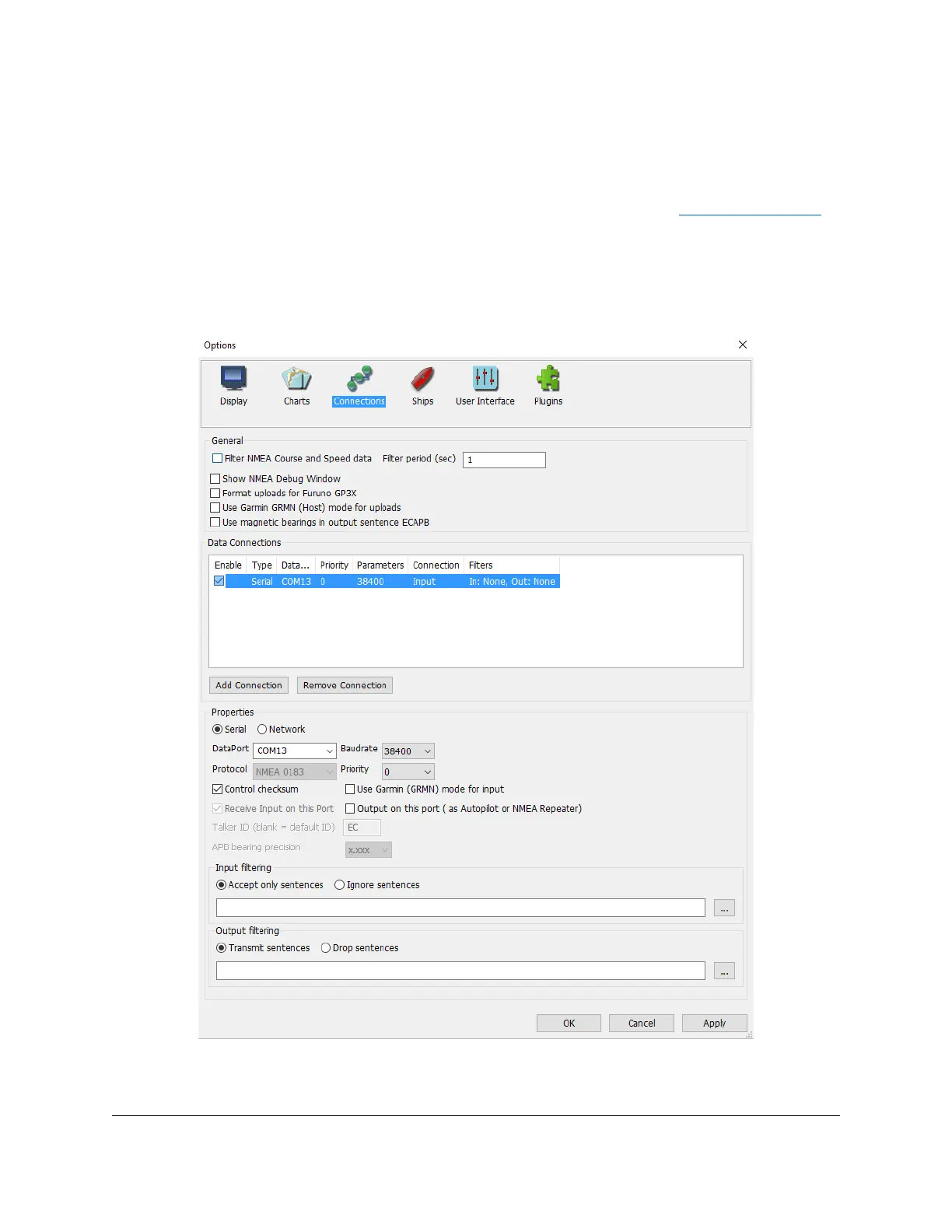
To use dAISy with OpenCPN, go to the Options dialog, select the Connections icon and add a new
connection. Set Properties to Serial. Enter or select the Dataport under which dAISy presents itself (see
OS-specific chapters above to determine the correct port). Set Baudrate to 38400. Leave everything else
as preset by OpenCPN.
Configuration of a serial connection for dAISy in OpenCPN


 To Next Page