12
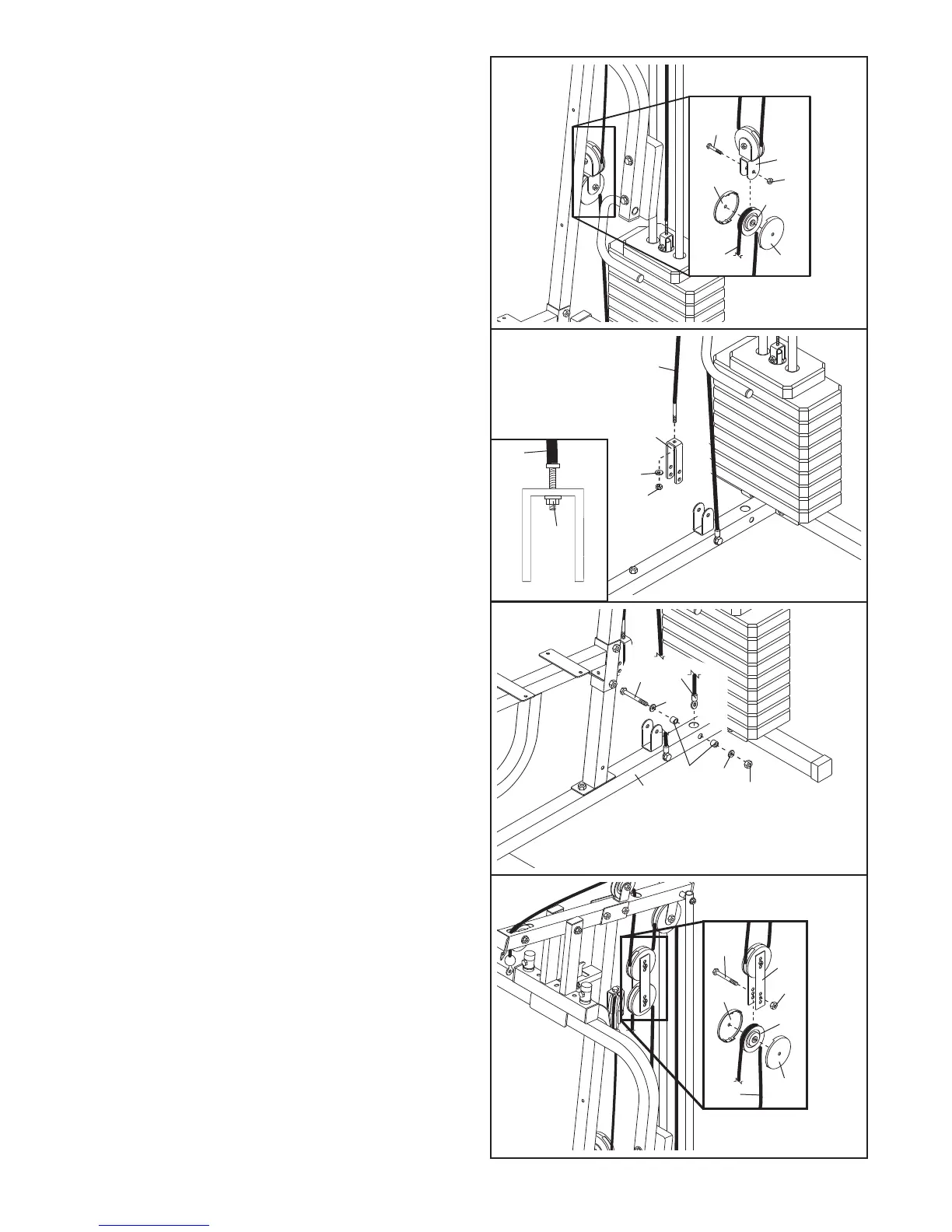
23. Attach the end of the Short Cable (47) to the “U”-
bracket (43) with an M8 Washer (71) and an M8
Nylon Locknut (69).
Note: Do not completely
tighten the Locknut; it should be threaded
onto the Cable so that two threads show past
the Locknut, as shown in the inset drawing.
24. Locate the Low Cable (48). Attach the Cable
inside the Base (1) with an M10 x 65mm Bolt
(55), two M10 Washers (70), two M10 x 22mm
Spacers (51), and an M10 Nylon Locknut (68).
22. Wrap the Short Cable (47) over a 90mm Pulley
(34). Attach the Pulley and a pair of Pulley
C
overs (35) to the Offset Double “U”-bracket (42)
with an M10 x 52mm Bolt (52) and an M10 Nylon
L
ocknut (68). M
ake sure the small tabs on the
Pulley Covers are on bottom.
5
2
47
35
35
34
6
8
42
22
47
71
69
43
23
51
68
1
70
70
24
55
48
25. Route the Low Cable (48) over a 90mm Pulley
(34).
Attach the Pulley and a pair of Pulley
Covers (35) to the second set of holes from the
bottom of the two Pulley Plates (44) with an M10
x 52mm Bolt (52) and an M10 Nylon Locknut
(68). Make sure the small tabs on the Pulley
Covers are on bottom.
44
52
35
34
35
48
68
25
47
69




 To Next Page