9
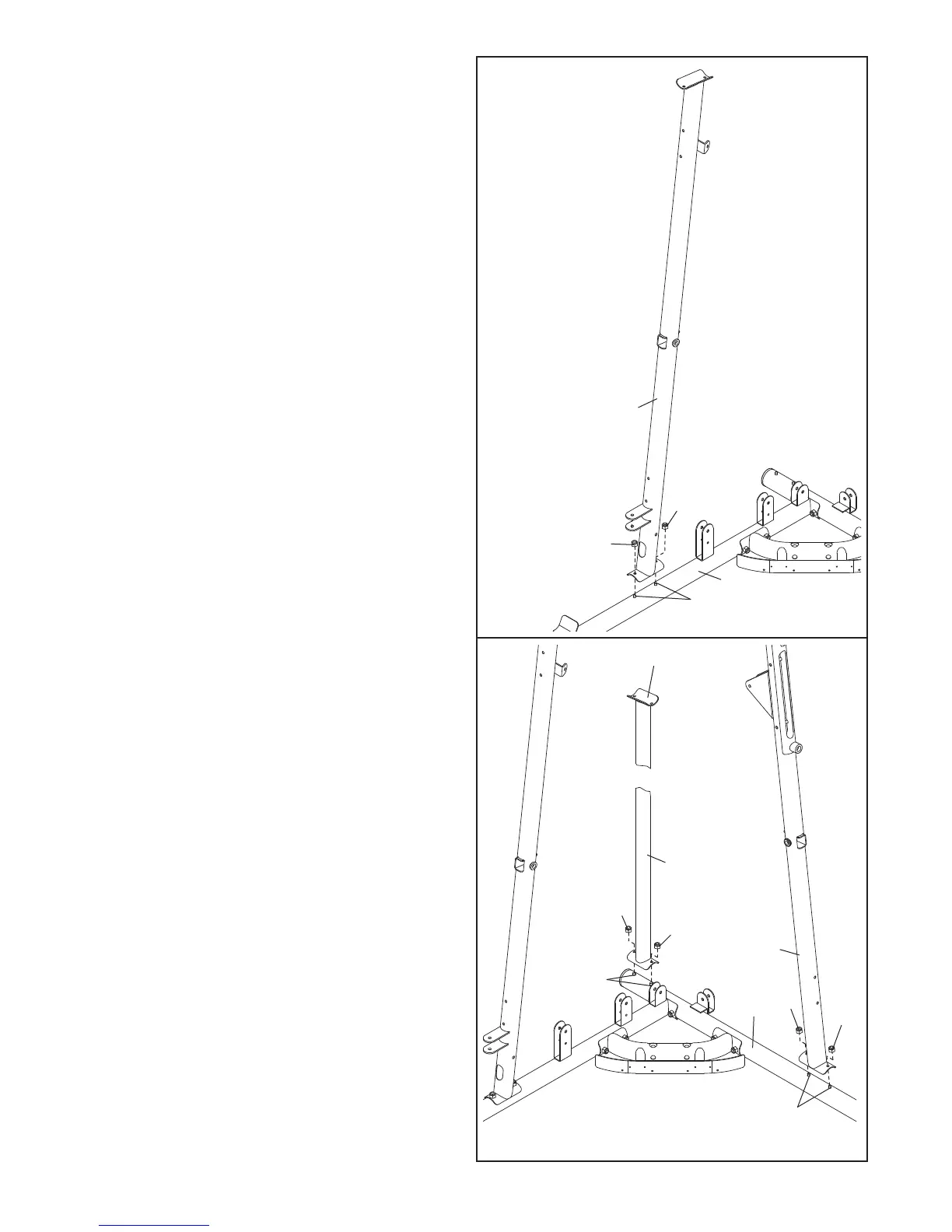
5. Attach the Right Upright (2) to the Right Base
(1) with two M8 Nylon Locknuts (78) and the
t
wo indicated M8 x 75mm Carriage Bolts (83).
Do not tighten the Nylon Locknuts yet.
5
2
78
78
83
1
6. Orient the Rear Upright (121) so that the top
bracket slopes toward the Left Upright (120).
Attach the Rear Upright to the Left Base (119)
with two M8 Nylon Locknuts (78) and the indi-
cated M8 x 75mm Carriage Bolts (83). Do not
tighten the Nylon Locknuts yet.
Attach the Left Upright (120) in the same man-
ner.
6
78
83
78
78
83
78
1
19
120
121
Top Bracket











 To Next Page