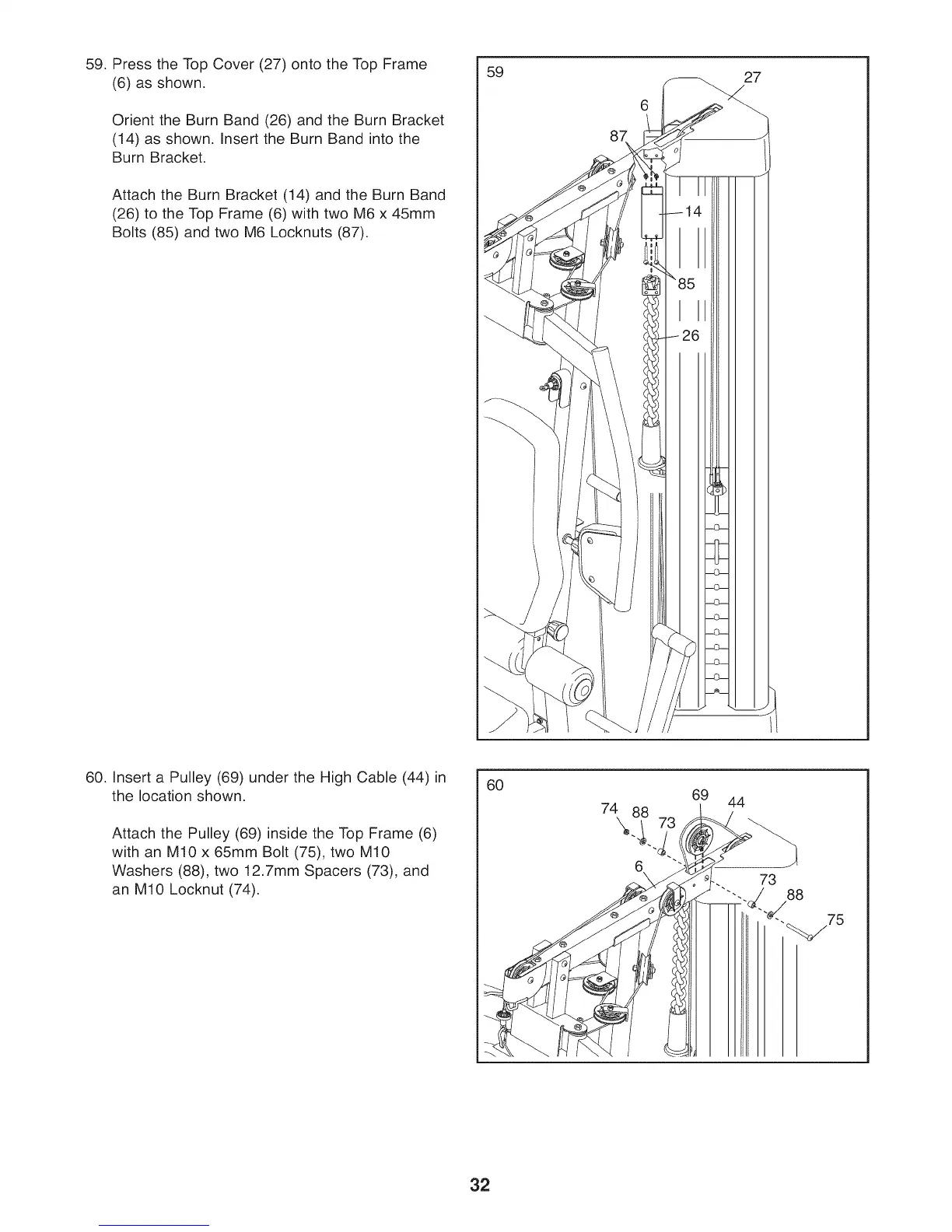
59. Press the Top Cover (27) onto the Top Frame
(6) as shown.
Orient the Burn Band (26) and the Burn Bracket
(14) as shown. Insert the Burn Band into the
Burn Bracket.
Attach the Burn Bracket (14) and the Burn Band
(26) to the Top Frame (6) with two M6 x 45mm
Bolts (85) and two M6 Locknuts (87).
59
27
60. Insert a Pulley (69) under the High Cable (44) in
the location shown.
Attach the Pulley (69) inside the Top Frame (6)
with an M10 x 65mm Bolt (75), two M10
Washers (88), two 12.7mm Spacers (73), and
an M10 Locknut (74).
60
7\8i 73
6
69 44
32



 To Next Page