Initial commissioning procedure
42
1168670000/02/08.11
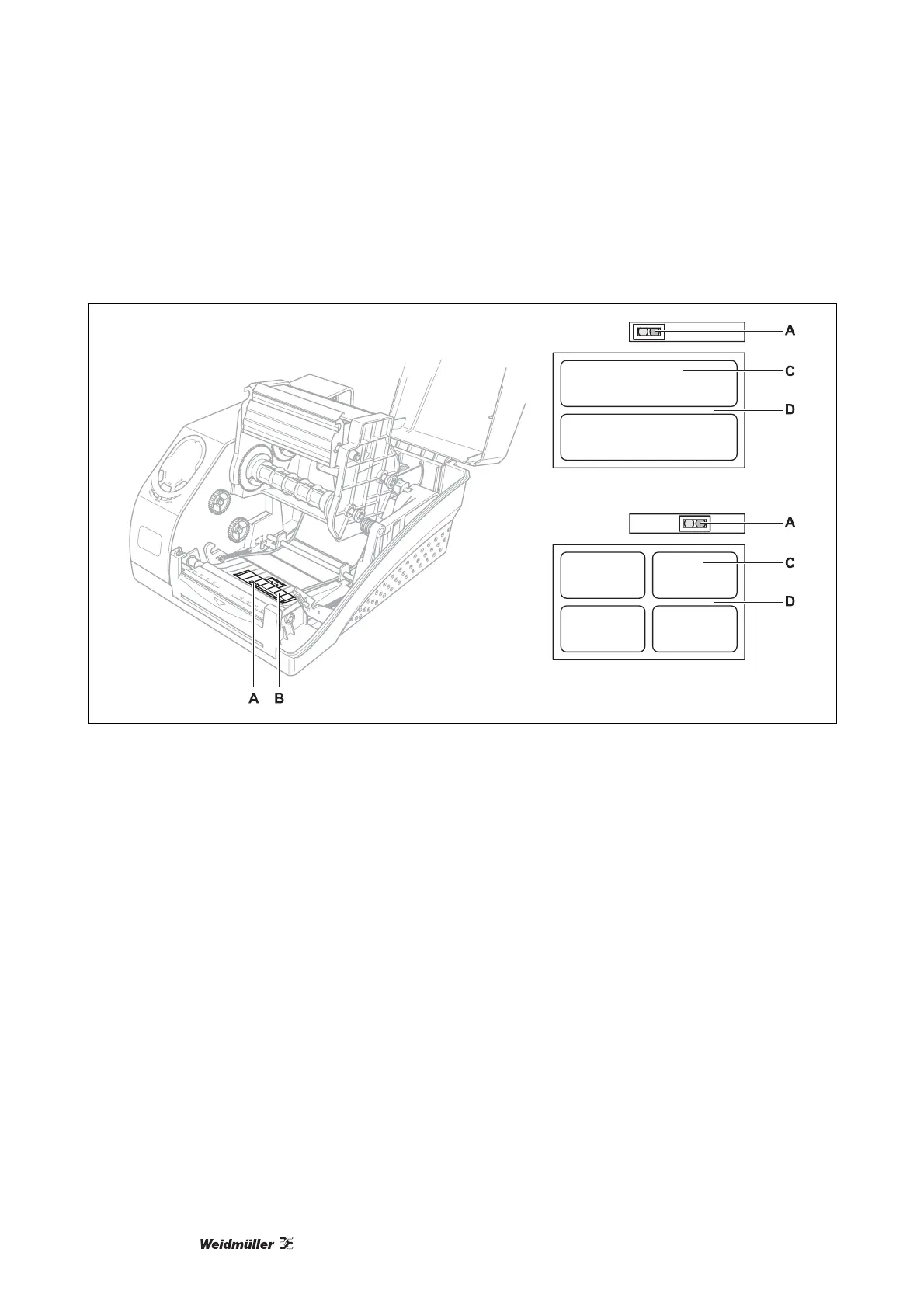
3.5 Positioning the label sensor
Figure 4 Positioning the label sensor
A Label sensor
B Cover over the label sensor
C Labels
D Label spacing
1 Unlatch the print head module and raise it up.
2 Remove the cover (B) from the label sensor (A).
3 Position the label sensor (A) so that the centres of the labels pass over it – thus allowing the sensor to de-
tect both the label and the spacing between the labels.
Refer to both examples in the accompanying illustration.
4 Replace the cover over the label sensor.
5 Push down on the print head module until it snaps back in.



 To Next Page