12 LEDindicatorsandtroubleshooting
73Manual u-control2604080000/03/08.2020
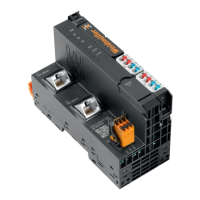
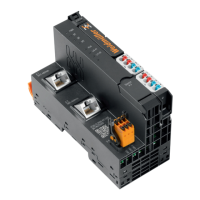
Controller/indicator LED Status Recommended action
UC20-WL2000-AC
Power LED PWR green: supply voltage present, rmware is running –
System failure SF red: serious system failure Switch supply voltage off and on again and deploy
application again
Bus failure BF green: communication with modules OK –
red: communication error with module or no modules
connected
Check whether modules are mounted correctly
Maintenance MT greenashingtwice: operating system is running –
Controller status RUN off: no application deployed –
green: application is deployed and running –
yellow: application is deployed and stopped –
Connection/active connection 1 L/A X1 off: no connection Check Ethernet cable
green: connection of controller connection 1 with an
additional eld device
–
green/yellowashing: data being exchanged on
connection 1
Connection/active connection 2 L/AX2 off: no connection Check Ethernet cable
green: connection of controller connection 2 with an
additional eld device established
–
green/yellowashing: data being exchanged on
connection 2
Input supply voltage 3.1 green: input current path supply voltage >18VDC –
3.2 red: input current path supply voltage <18VDC Check supply voltage
3.4 red: internal fuse defective Replace the controller
Output supply voltage 4.1 green: output current path supply voltage >18VDC –
4.2 red: output current path supply voltage <18VDC Check supply voltage
4.4 red: internal fuse defective Replace the controller
12 LED indicators and troubleshooting
In the event of a malfunction occurring on a u-control prod-
uct, carry out the following recommended measures. If the
malfunction cannot be xed, please send the affected prod-
uct to Weidmüller. You can nd all Weidmüller addresses
and your local contact on the Internet at
www.weidmueller.com.
Weidmüller does not assume any liability if the base or elec-
tronic module has been tampered with!



 To Next Page