48
July, 2016
CYCLE COUNTER: Displays the number of cycles (bags produced) in a given production run.
SPEED: Displays the average number of bags per minute for the current production run.
START/STOP: The green start button will automatically cycle the bagger. The red stop button will cease
cycling the bagger.
SHOW ALARMS: This buttons displays all active alarms.
MASTER RESET: Press this button to reset the Cycle Counter to 0 and reset all machine sequences, the
same as turning the machine off then on again.
TEMPERATURE
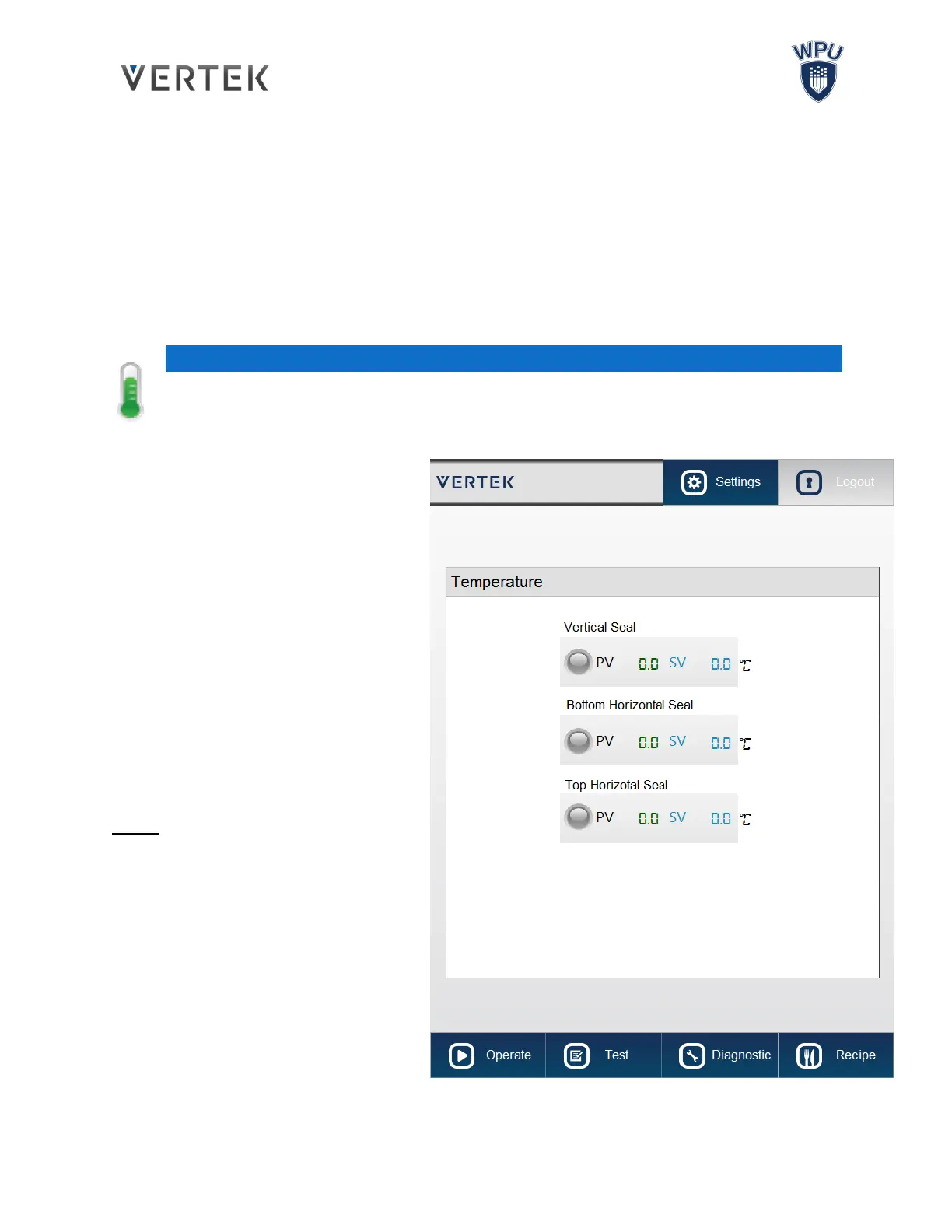
Pressing the thermometer button will bring up the Temperature screen which displays the
temperature settings for the bagger’s Horizontal and Vertical Heating Elements.
VERTICAL SEAL TEMP:
Displays the temperature of the Vertical
Sealing Bar. Entering a value will set the
temperature of the Vertical Temperature
Seal.
BOTTOM HORIZ. SEAL TEMP:
Displays the temperature of the bottom of
the Horizontal Sealing Jaws. Entering a
value will set the temperature of the Bottom
Horizontal Seal.
TOP HORIZ. SEAL TEMP:
Displays the temperature of the top of the
Horizontal Sealing Jaws. Entering a value
will set the temperature of the Top
Horizontal Seal.
NOTE:
PV: Present Value, is the current
temperature.
SV: Set Value is the operating
temperature the element is set to reach.
The heating element indicator will turn
green when it is on and heating.
The SV (Set Value) can be modified by
clicking on the number and entering a
new target temperature.



 To Next Page