Part number 550-100-260/0520
87
ECO
®
Tec GAS-FIRED WATER BOILER – 80/110/150/199 BOILER MANUAL
CONTRACTOR menus
"OILER -ODEL !LTITUDE AND &UEL4YPE ARE
CRITICAL SETTINGS
Failure to set correctly could
result in severe personal injury, death or substantial
property damage.
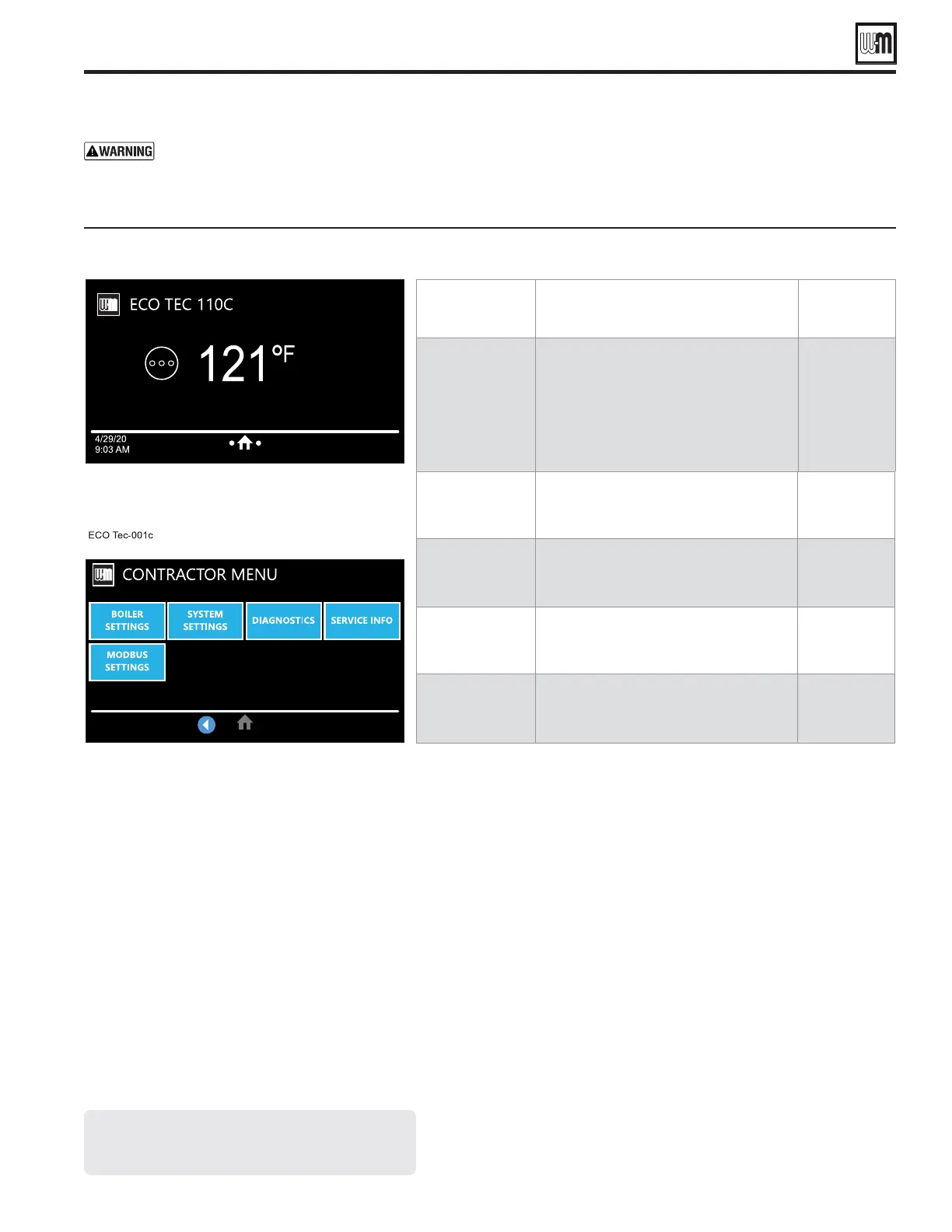
1. Access contractor menus by pressing and holding the WM
Logo for 7 seconds from the home screen.
2. See the following pages for explanations of control setting
options.
-%.5)TEM 0520/3%
-ORE
INFORMATION
BOILER
SETTINGS
s Set/change boiler model, control type,
high altitude setting, Outdoor Temp sen-
sor requirement, manual reset high limit
and WWSD temperature settings, outdoor
sensor temp adjustment, circulator exercis-
ing, freeze protection setup, and restore to
factory default option, fuel type and blower
calibration.
See page 88
SYSTEM
SETTINGS
s These settings assign Priority 1, 2 or 3 to
each of the four inputs to the control and
see an overview of assigned priorities.
See page 91
DIAGNOSTICS
s Use to review current and historical infor-
mation including previous lockouts.
See page 94
SERVICE INFO
s Used to set contractor contact information,
boiler information and maintenance dates.
See page 96
MODBUS
SETTINGS
s Used to adjust Modbus related settings such
as Baud Rate, Parity and Stop Bits, Modbus
Address and turning Modbus on/off.
&IGURE ECO Tec control menu access — accessing contractor menus
3CREENSSHOWNABOVEARETYPICALONLY
!CTUALSCREENSDEPENDONCONTROLSETTINGS
CHOSEN




 To Next Page