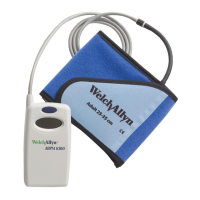
14 - Preparing the ABPM 7100
Transferring patient data (ID)
The ABPM 7100 must be prepared by transferring patient data (ID) with the help of the patient management
software, so that correct data allocation is possible when it is read out after measurement.
Please refer to the respective patient management software manual for how to transfer patient data (ID) to
the ABPM 7100.
Setting measurement logs
In the patient management software you can optionally choose between eleven (1-11) logs. A log serves to
set the measurement intervals. As soon as you have conducted a measurement, the log can only be
changed once you have fully deleted all data.
Manual log settings
For manual log setting, press and hold the DAY/NIGHT button while simultaneously pressing the EVENT
button. Use the START button to change the log and confirm with the EVENT button.
Setting the logs via software
To set the logs via software please refer to the respective patient management software manual.
Logs 1, 2, 10 and 11 are set by default but can be changed via the patient management
software.
Log 5 is suitable for nighttime activities (night shift).
Log 9 is designated as “Schellong-Test”.
Log 10 automatically sends the measurement values to your doctor’s PC via Bluetooth®.
Bluetooth® communication is not supported with the CPWS software.
Log 11 is only available to upgraded ABPM 7100 systems in connection with HMS from
version 5.0. Blood pressure measurement intervals and the 24h PWA can be set
separately here. Please contact Welch Allyn for further information.



 To Next Page
 Loading...