6
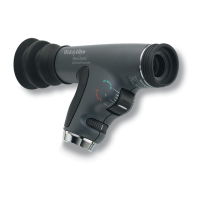
Attaching Corneal Viewing Lens to PanOptic (Model 11820 only)
Insert Corneal Viewing Lens into patient’s side of the instrument. Push
and twist in one motion until you feel the two “lock” together as
shown on page 5, except replacing Patient Eyecup with the Corneal
Viewing Lens. Verify that the line on the lens housing is aligned with
the top seam of the PanOptic instrument.


 To Next Page
 Loading...