EasyManua.ls Logo

Welch Allyn PanOptic 118 Series - User Manual

Welch Allyn PanOptic 118 Series
28 pages
Print Icon
To Next Page IconTo Next Page
Loading...
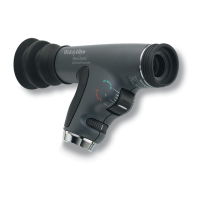
PanOptic
Ophthalmoscope
118 Series
Operating
Instruction
Manual
Eye Care Menu
Service Manual

Other manuals for Welch Allyn PanOptic 118 Series

Questions and Answers

Welch Allyn PanOptic 118 Series Specifications

General IconGeneral
CategoryOphthalmoscope
ModelPanOptic 118 Series
Light SourceLED
Magnification5x
Field of View25 degrees
Battery TypeAA alkaline batteries
Weight0.5 lbs (226.8 g)

Summary

Set-up Instructions

Attaching the PanOptic Ophthalmoscope head to a Welch Allyn Power Source

Connect the ophthalmoscope head to the 3.5v power source by aligning cutouts and turning 90 degrees.

Attaching the Patient Eyecup to PanOptic

Insert and twist the eyecup into the patient's side of the instrument until it locks.

Conducting an Examination

Remove Spectacles

Advise the patient to remove their spectacles, though it is not strictly required.

Focusing the scope on an object

Focus the ophthalmoscope on an object 15 feet away to adjust for personal vision needs.

Start with the small aperture

Begin the examination using the small aperture, indicated by the green line on the dial.

Turn the scope on and adjust light intensity

Power on the ophthalmoscope and set the light intensity rheostat to maximum.

Position for examination

Position yourself approximately 15 degrees to the patient's temporal side.

Instruct patient to look straight ahead

Ask the patient to look straight ahead at a distant object for proper alignment.

Begin from 6 inches away

Start the examination about 6 inches from the patient's eye, looking for the red reflex.

Follow red reflex into pupil

Move closer to the patient's eye, ensuring the eyecup contacts the brow for an optimal view.

Rotate focusing wheel for crisp view

Adjust the focusing wheel to achieve a clear view of the optic disc and surrounding vessels.

Examine optic disc and vessels

Assess the optic disc for clarity, color, and vessel condition, following vessels peripherally.

Examine extreme periphery

Instruct the patient to look in specific directions to examine the superior, inferior, temporal, and nasal retina.

Examine left eye

Repeat examination for the left eye, noting the flexibility for the examiner to use either eye.

Apertures and Filters

Small Aperture

Provides a view of the fundus through an undilated pupil; it's the home position.

Large Aperture

Standard aperture for examinations of dilated pupils.

Micro Spot Aperture

Allows easy entry into very small, undilated pupils.

Slit Aperture

Helpful for determining lesion elevations, tumors, and edematous discs.

Red-Free Filter

Excludes red rays, enhancing visualization of vessels and retinal alterations.

Cobalt Blue Filter

Used with fluorescein dye for detecting corneal abrasions and foreign bodies.

Half-Moon Aperture

Provides a combination of depth perception and field-of-view.

Lamp Replacement Instructions

Lamp caution and model usage

Warning about hot lamps; use only Welch Allyn model 03800.

Remove the lamp from the head base

Instructions on how to remove the old lamp using a fingernail or prying instrument.

Insert the new lamp

Guide on aligning the lamp tab with the notch and pushing it in firmly.

Cleaning and Repair Instructions

General Cleaning Instructions

Note on cautioning against excess solution damaging internal components.

Specific Cleaning Requirements

Lists requirements like not using solvent cleaners on lenses, non-sterilizability, and disinfecting housing.

Troubleshooting

No Light output

Addresses issues like aperture dial position, burned-out lamp, or discharged battery.

Spot is not centered

Corrective action for an off-center aperture dial position.

Not achieving full or expected view

Solution involves ensuring the eyecup is slightly compressed during the procedure.

Cannot obtain sharp focus;hazy view

Instructions to clean lenses with the provided cloth for sharp focus.

Dim Light Output

Solutions include inserting lamp correctly and charging the handle/battery.

Glare in view

Clean the objective lens with the provided cloth to remove fingerprints or dirt.

Cannot attach to power handle

Ensure the lamp is fully inserted and seated in the slot.

Accessory and Replacement Parts List

Service and Warranty Information

Service Contact Information (USA)

Welch Allyn Technical Service Department address and phone number for USA customers.

Service Contact Information (Canada)

Welch Allyn, Ltd. - Canada address and phone number for Canadian customers.

Service Contact Information (International)

Contact details for Welch Allyn service centers in UK, Germany, France, Singapore, China, Australia, and Latin America.

PanOptic Ophthalmoscope Warranty

Specifications

Model Numbers and Dimensions

Lists model numbers, dimensions, and eyecup size.

Approvals and Environment

Details product approvals, classification, and operating environment parameters.

Related product manuals