CMP203 User Guide
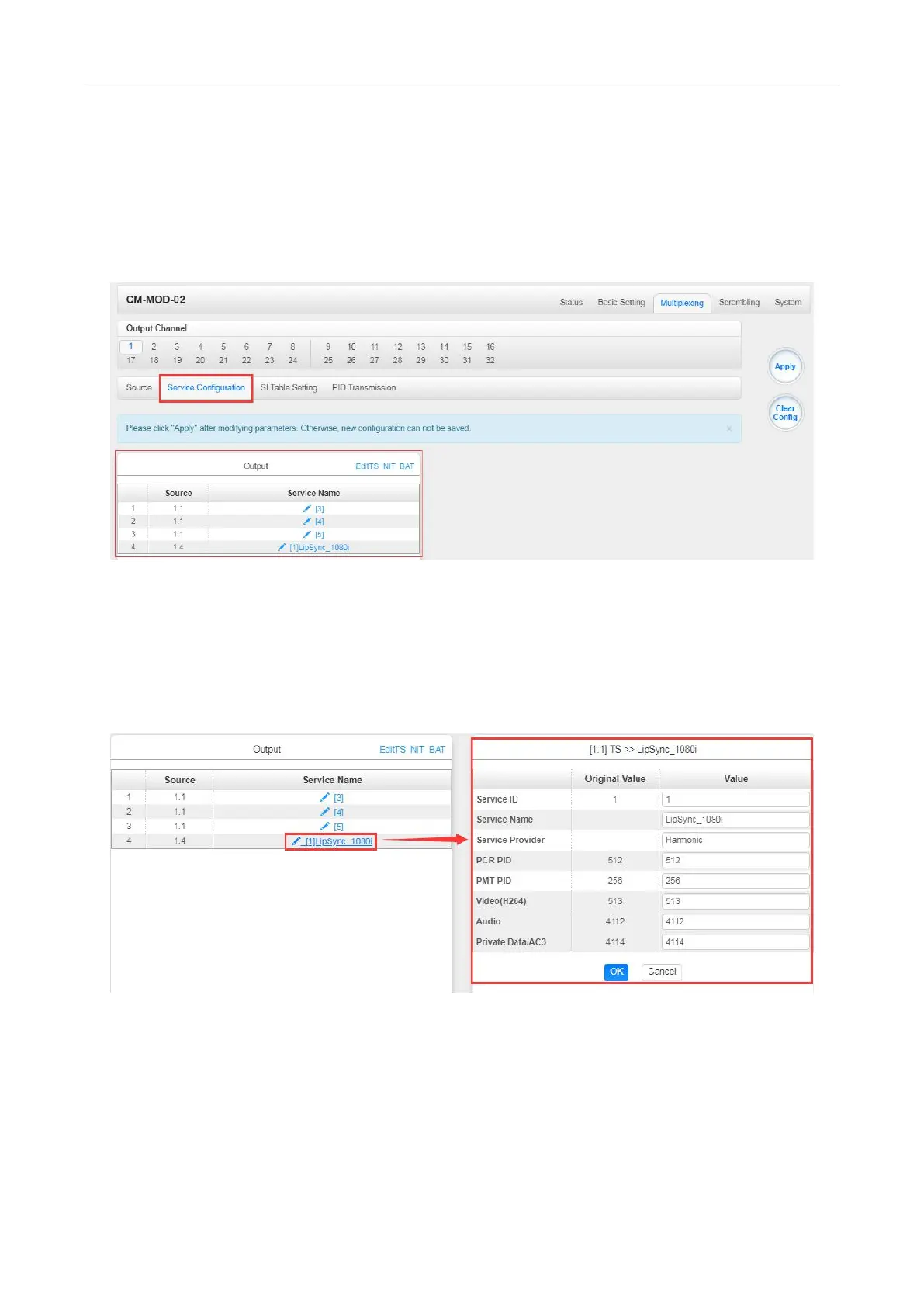
Multiplexing-Service Configuration> After output the services from IP input to Modulation output,
you can now edit the Service ID and other PID on the output. Click on the Service Configuration to
see this page, it shows the output service on this channel only.
You can click the Name of the service and it will show a table where you can modify some
information of the service like Service ID, Service Name, Service Provider, PCR2 PMT AUDIO and
Video PID. Click OK & Apply for the changes to take effect.
Here you can also edit the Original Network ID and TS ID of the Modulation Output.


 To Next Page