CMP203 User Guide
4.2 Status
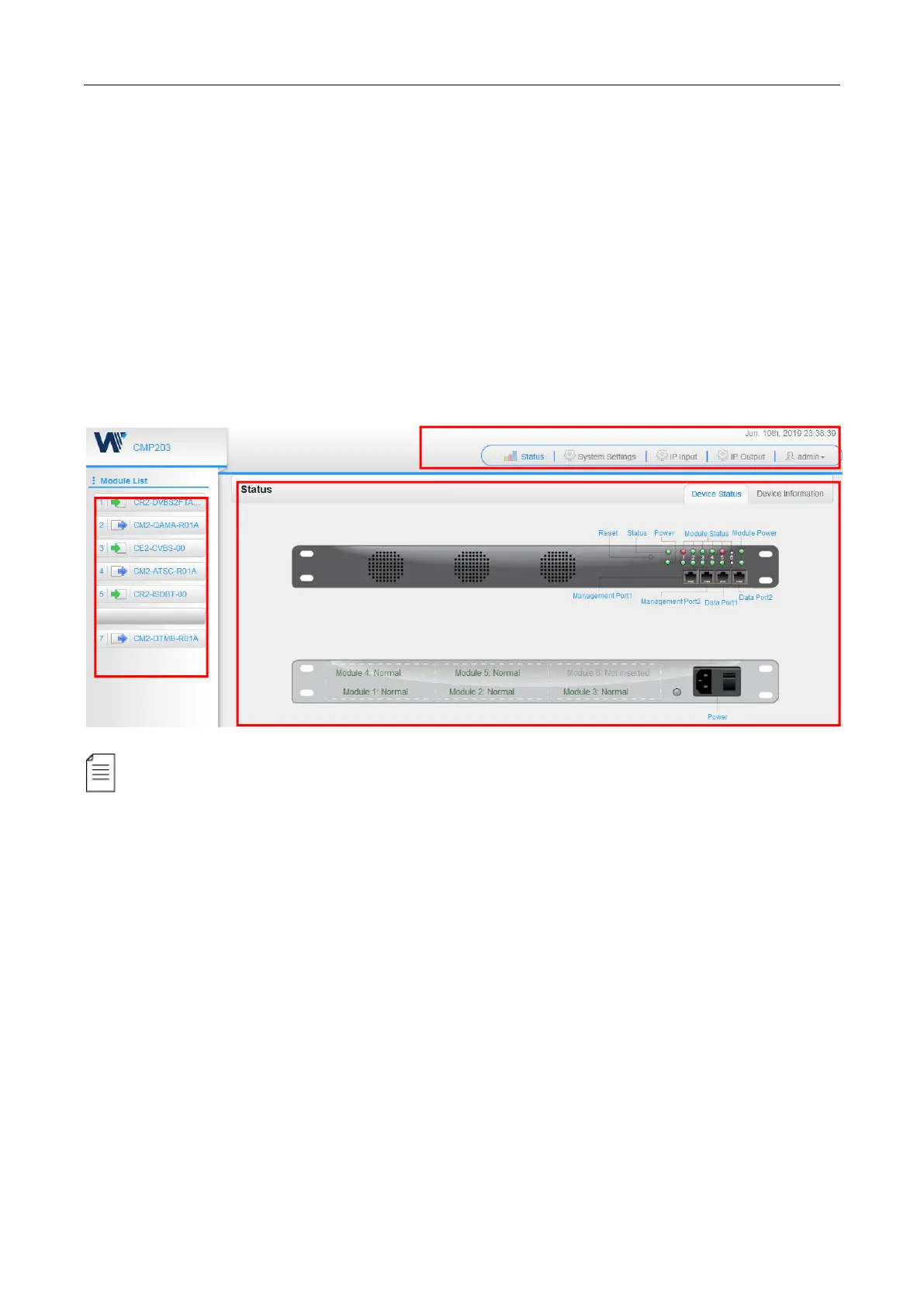
Status>Device status
After a successful login, you will always enter the status overview page, where you can check the
device status of:
a) Module List: it shows the module(s) inserted
b)
Device host operating status, running status of fans and other status display options
c) Menu Bar and time display
We use only IE, Firefox and Chrome for testing procedures. If you use other browsers, like
Microsoft Edge, you may encounter incomplete UI layouts, and configure setting in these browsers
may lead to errors.


 To Next Page