CMP203 User Guide
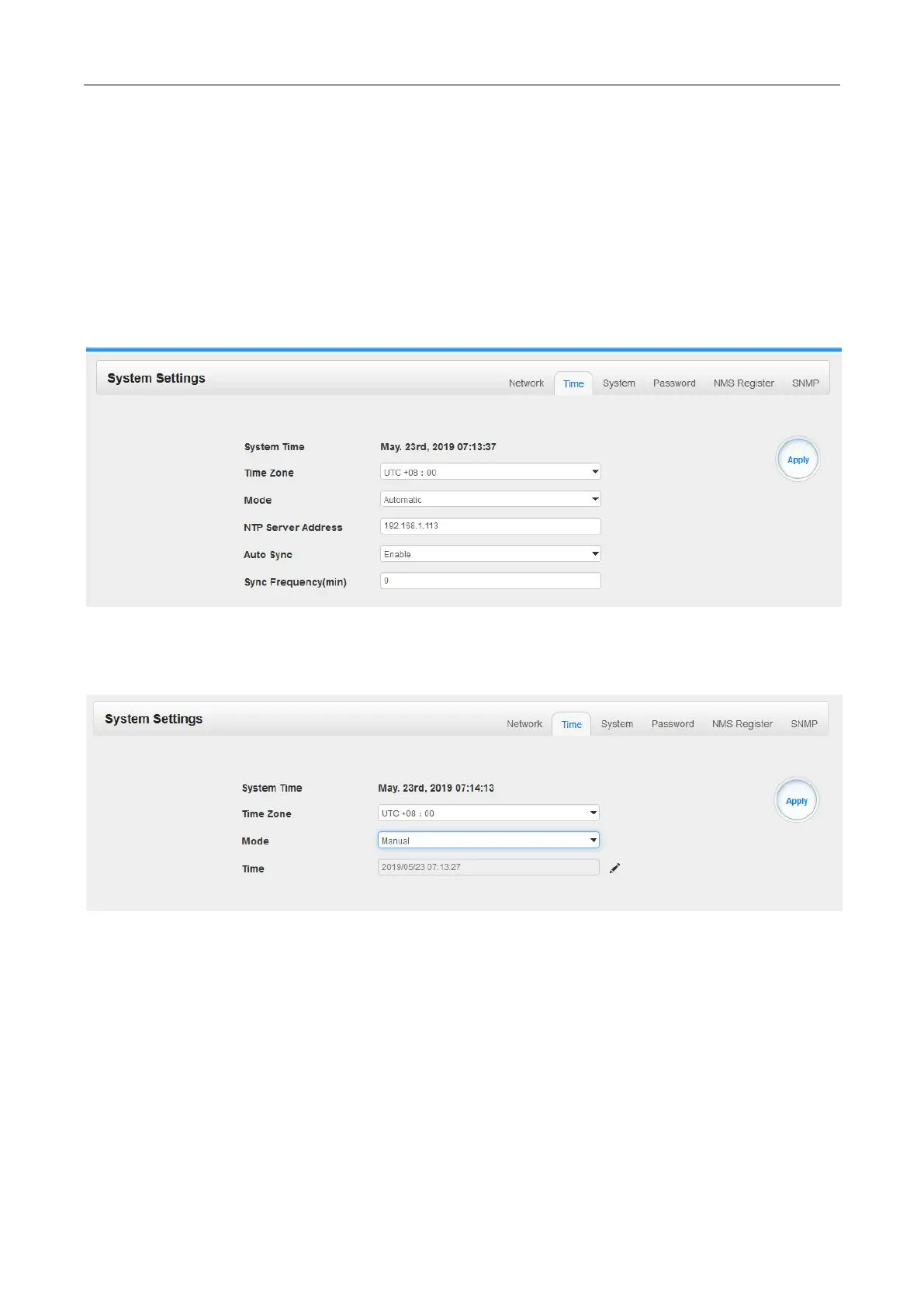
System Setting> Time
In Time page you can see the current system time, change Time Zone, choose system time Mode
(Manual or Automatic), enable/disable Auto Sync and modify NTP Server Address in Automatic
mode or change the current system Time in Manual mode. Click the Apply button on the right side to
make the change take effect.
Automatic mode
Manual mode
System Setting>System
In System page you can do an upgrade, import or export configuration, import or export license (only
for baseboard), reboot the whole unit, restore it to factory setting (only for baseboard), export log and
clear log (only for baseboard).


 To Next Page