45
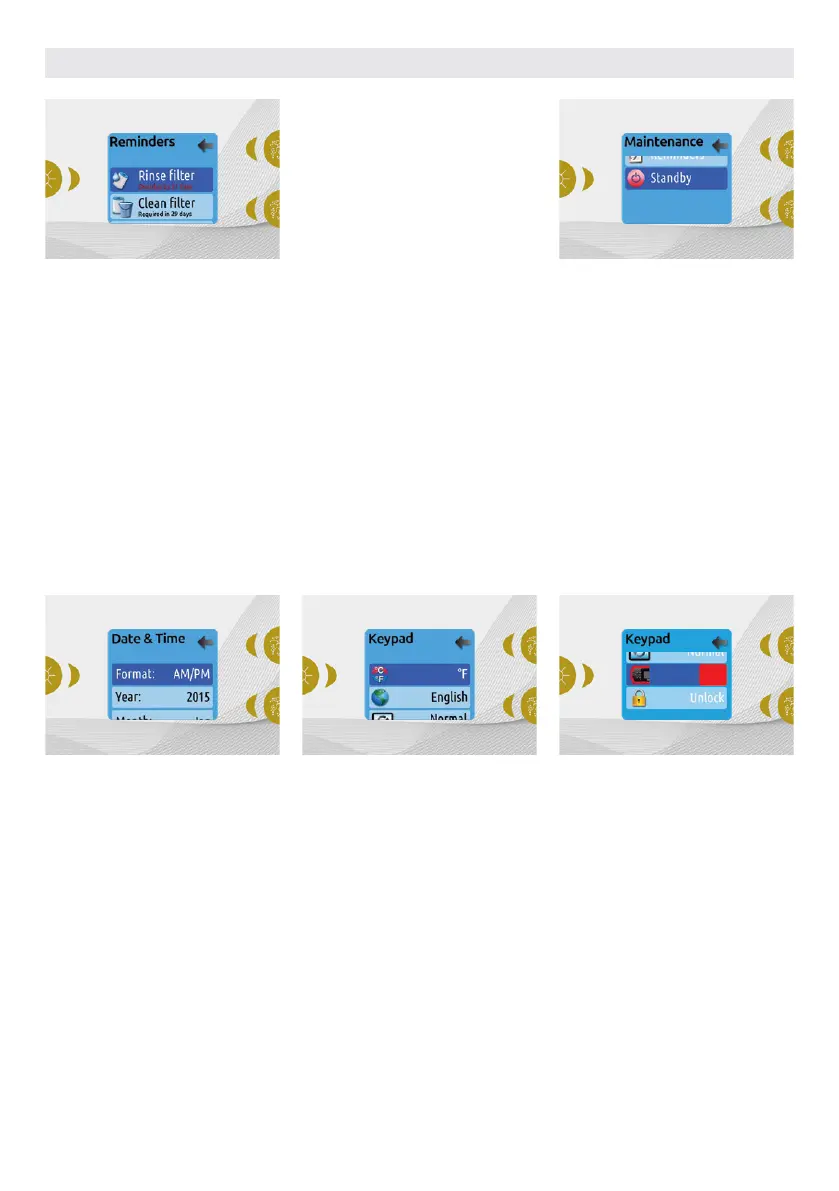
DATE AND TIME
Here you can adjust the time format,
change the year, date and time. Use the
arrows to choose the setting that you
want to adjust, and select it by pressing
the Light key.
Use the arrow buttons to change the
parameters, and the Light key to move
between parameters. Key 1 will take you
back to the main Settings menu.
Note: In version 6.00 and earlier, only the
day of the week can be changed, and not
the year or date.
MAINTENANCE REMINDERS
The Easy 7 keypad will remind you of
maintenance required on your hot tub,
like rinsing or cleaning the filter. Each task
has its own duration, based on normal
use.
The Maintenance reminders menu
allows you to verify the time left before
maintenance is required, as well as to
reset the time once a task is completed.
Use the Up and Down keys to move
through the list.
To reset a task select it by pressing Light
key, then confirm when prompted . Once
you have confirmed the task will be reset.
STANDBY
The Standby mode allows you to service
your hot tub. Pumps will stop for 30
minutes, and automatically restart after
this time.
Once Standby mode has been activated
a screen will appear to show that pumps
are stopped. The normal hot tub page will
return at the end of maintenance.
Press the Key 1 to leave Standby mode
and restart the hot tub.
Note: In version 6.00 only, Standby mode is
accessible directly from the Settings page.
KEYPAD SETTINGS
In this section, you can change the
temperature unit, language, display
orientation, rim light color and keypad
security. Note the hot tub pack must be
configured accordingly to be able to
change the rim light color.
When you change the display orientation,
the contextual options and arrow keys
adjust to the chosen orientation. If you
don't have any accessories installed on
your hot tub, the Mode key can be used as
a display orientation key. Simply press on
it to change your orientation from normal
to inverted, and vice versa.
Whether the display is inverted or not, the
Mode and Menu keys remain unchanged,
as well as the accessory keys in the main
Hot tub menu.
With the Easy 7 equipped with a
selectable rim light color modul: If the
"RGB backlight" option is enabled in
the hot tub configuration an option will
appear to allow selection of the keypad
rim light color.
You can lock the keypad by selecting
one of 3 security levels: Unlock, Partial or
Full. The Partial level locks the set point
adjustment and many options in the
settings menu. The Full level locks all
keypad functions. To unlock the keypad
(either Partial or Full), press and hold the
top right key for 5 seconds.
USER INTERFACE EASY 7



 To Next Page