EasyManua.ls Logo

Wen CT1065 - User Manual

Wen CT1065
28 pages
Print Icon
To Next Page IconTo Next Page
Loading...
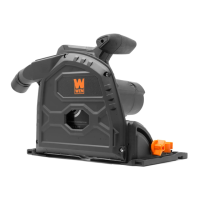
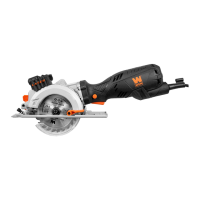
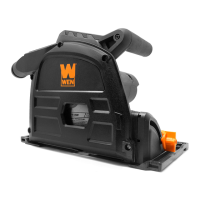
6.5-INCH TRACK SAW
Instruction Manual
MODEL CT1065
IMPORTANT: Your new tool has been engineered and manufactured to WEN’s highest standards for dependability,
ease of operation, and operator safety. When properly cared for, this product will supply you years of rugged,
trouble-free performance. Pay close attention to the rules for safe operation, warnings, and cautions. If you use
your tool properly and for its intended purpose, you will enjoy years of safe, reliable service.
NEED HELP? CONTACT US!
Have product questions? Need technical support? Please feel free to contact us:
TECHSUPPORT@WENPRODUCTS.COM800-232-1195 (M-F 8AM-5PM CST)
For replacement parts and the most up-to-date instruction manuals, visit WENPRODUCTS.COM

Questions and Answers

  • E
    Erika BeckerJul 28, 2025
    Why won't my Wen Saw motor start?
    • C
      cynthia04Jul 28, 2025
      The motor of your Wen Saw might not start due to several reasons. Ensure the plunge button is fully pressed. Check the power cord, extension cord, power plug, and outlet for damage or insufficient power. A defective power switch, worn carbon brushes, or a defective motor could also be the cause. Make sure the outlet is functional and of the right capacity for the tool.
  • P
    Paul WebbAug 2, 2025
    What to do if my Wen CT1065 has ineffective cutting performance?
    • S
      salinassamanthaAug 2, 2025
      If your Wen Saw isn't cutting effectively, the blade may be dull or dirty. Try sharpening or replacing the blade, or cleaning it with steel wool and turpentine. Also, ensure the blade is secure, installed correctly, and is compatible with the material you're cutting. Inspect and replace carbon brushes if needed.
  • M
    Michael HillAug 6, 2025
    Why is my Wen CT1065 Saw making excessive noise or vibration?
    • J
      Joseph DavenportAug 7, 2025
      Excessive noise or vibration in your Wen Saw could be due to several reasons. Check if the blade is installed correctly and is not damaged. Ensure the blade is secure. Avoid cutting too fast, and make sure your blade selection is appropriate for the workpiece.
  • J
    Jesse DavenportAug 11, 2025
    Why does my Wen CT1065 overheat?
    • R
      Robert FarleyAug 11, 2025
      Your Wen Saw may be overheating because you are forcing the tool to work too fast. Let it work at its own pace and ensure the blade selection is appropriate for the cut type and workpiece. Also, make sure you are using the correct extension cord gauge and that the motor housing vents are not blocked. Wear safety glasses and a dust mask, and blow dust out of the motor housing vents.
  • T
    Tammie CampbellAug 17, 2025
    Why won't my Wen CT1065 Saw plunge?
    • M
      Michelle ByrdAug 17, 2025
      If your Wen Saw won't plunge, ensure the plunge button is fully pressed. Also, verify that you've selected the correct plunge mode.
  • D
    Daniel PrestonAug 22, 2025
    What causes excessive slop between track and saw on my Wen CT1065?
    • J
      Jonathan WhitakerAug 22, 2025
      Excessive slop between the track and saw might be caused by improperly adjusted fine-adjustment cams. Adjust the fine-adjustment cams.

Summary

Specifications

General Safety Rules

Specific Rules for Your Track Saw

Saw Blade Safety

Safety guidelines specifically for handling and using saw blades.

Personal Safety

Personal safety precautions relevant to track saw operation.

Preparing the Track Saw

Steps for setting up the track saw before use.

Secure Your Workpiece

Instructions on how to properly secure materials for cutting.

During Cutting Operations

Guidance on safe practices during the cutting process.

Reducing Kickback

Methods to prevent and minimize the risk of kickback.

Electrical Information

Assembly & Adjustments

Dust Collection

Instructions for attaching dust collection systems.

Mode Selection

How to use the mode selector switch for different functions.

Free Plunge Mode

Setting the depth for free plunge cuts.

Scribe Cuts

Procedure for performing scribe cuts.

Adjusting the Bevel Angle

Steps for setting and verifying the bevel angle.

Line-of-Cut Indicators

Using indicators to align cuts with the blade.

Setting Up the Track

Instructions for attaching and preparing the track system.

Cutting the Rubber Strip

Procedure for cutting the track's rubber strip for precision.

Using the Track Lock

How to engage the track lock for secure operation.

Using the Fine-Adjustment Cams

Adjusting cams to eliminate play between saw and track.

Anti-Kickback Cam

Information on the anti-kickback cam and its function.

Changing the Saw Blade

Step-by-step guide for replacing the saw blade.

Operation

Starting;Stopping the Saw

Procedure for safely starting and stopping the track saw.

Operating the Saw

General guidance on holding and operating the saw during cuts.

Troubleshooting Guide

Maintenance

Wen CT1065 Specifications

General IconGeneral
BrandWen
ModelCT1065
CategorySaw
LanguageEnglish

Related product manuals