EasyManua.ls Logo

Wen 3975 - User Manual

Wen 3975
14 pages
Print Icon
To Next Page IconTo Next Page
Loading...
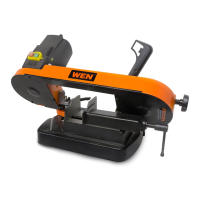
5-INCH PORTABLE
METAL BAND SAW
bit.ly/wenvideo
Your new tool has been engineered and manufactured to WEN’s highest standards for dependability,
ease of operation, and operator safety. When properly cared for, this product will supply you years
of rugged, trouble-free performance. Pay close attention to the rules for safe operation, warnings,
and cautions. If you use your tool properly and for intended purpose, you will enjoy years of safe,
reliable service.
IMPORTANT:
NEED HELP? CONTACT US!
Have product questions? Need technical support?
Please feel free to contact us at:
800-232-1195
techsupport@wenproducts.com
WENPRODUCTS.COM
(M-F 8AM-5PM CST)

Questions and Answers

  • D
    Debra RamirezJul 27, 2025
    How to fix a Wen Saw that does not turn on?
    • J
      Joshua EllisJul 27, 2025
      If your Wen Saw doesn't turn on, first, ensure it's properly plugged in. Then, check the extension cord; using the incorrect gauge can prevent the saw from powering on. Make sure you press the green power button before pressing the run button, and verify that the power indicator light is lit. If it still doesn't work, the circuit breaker might have tripped to protect the machine; wait a few minutes, reset the breaker, and reduce your cutting speed and feed rate. For worn carbon brushes, defective switch, PCB, power cord, or motor contact customer service at 1-800-232-1195 for assistance.
  • H
    Haley WardAug 2, 2025
    Why is my Wen 3975 making inaccurate cuts?
    • J
      James RobbinsAug 2, 2025
      If you are getting an inaccurate cut with your Wen Saw, try the following: Reduce the cutting pressure and allow the machine to work. Ensure you're using the correct blade for the material. Check the alignment of the stationary blade guide, and position the sliding blade guide as close as possible to the workpiece. Adjust the blade speed, securely clamp the workpiece in the vise, ensuring the vise jaws and ways are clean, and use a work stop to stabilize the workpiece. Adjust blade tension.
  • K
    Kenneth JohnsonAug 8, 2025
    What to do if the power indicator light does not turn on on my Wen 3975 Saw?
    • P
      Paul AshleyAug 8, 2025
      If the power indicator light on your Wen Saw doesn't turn on after pressing the green power button, first, check if the saw is properly plugged in. If it is and the light still doesn't illuminate, contact customer service at 1-800-232-1195 for assistance, as there may be a defective light, switch, power cord, or PCB.
  • S
    Sheri LongAug 14, 2025
    Why is my Wen Saw so noisy?
    • E
      Eric BellAug 14, 2025
      If your Wen Saw is operating noisily, first, remove the blade and run the saw to see if the noise persists, inspecting the blade for warpage. Check for any debris stuck in the saw and remove it. Inspect and tighten all fasteners. If the noise continues, contact customer service, as it could be due to a worn bearing.
  • B
    Bethany ButlerAug 20, 2025
    What to do if the blade tends to protrude from the guide of my Wen 3975?
    • M
      Melissa RojasAug 20, 2025
      If the blade of your Wen Saw tends to protrude from the guide, try adjusting the blade tension. If that doesn't resolve the issue, remove the blade and clean the wheels and guide bearings to remove any lubricant. Inspect the blade for warping and replace it if necessary; blades can warp from excessive heat buildup due to overuse.

Summary

General Safety Rules

Specific Rules for Band Saw

Rules specific to operating the band saw safely, covering precautions and procedures.

Electrical Information

Grounding Instructions

Instructions for proper grounding of the tool to prevent electric shock and ensure safety.

Adjustments

Operation

Maintenance

Changing the Saw Blade

Step-by-step instructions for safely removing and installing a new saw blade.

Troubleshooting

Saw Not Turning On

Diagnosing and resolving issues when the band saw fails to power up.

Exploded View and Parts List

Wen 3975 Specifications

General IconGeneral
BrandWen
Model3975
CategorySaw
LanguageEnglish

Related product manuals