22
POSITIONING THE END PANELS
After all auxiliary equipment is installed, position
the end panels:
1. Unlatch an end panel from the curbside of
the Showmobile, and position it over the
stage where desired.
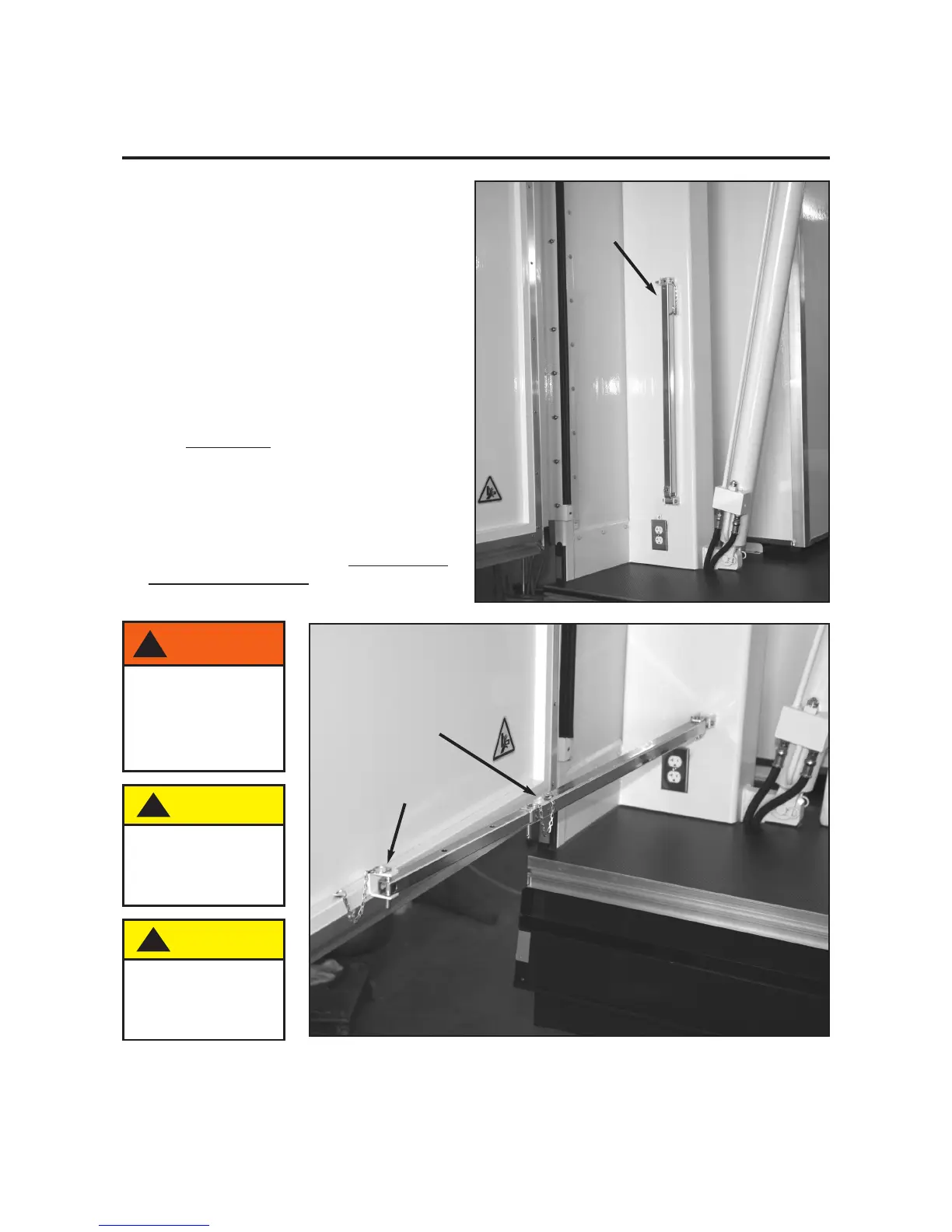
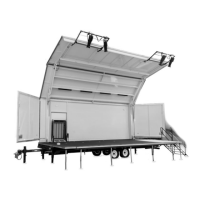
2. Pull down the end panel brace, and use the
stay pin to attach it to the bracket on the
bottom of the end panel.
3. Position the end panel where desired. It can
be set at three different positions (45°, 68°,
and 90° to the end of the Showmobile) by
placing the center stay pin in the appropriate
hole. Do not close the end panels while the
roof/canopy is raised from the travel position.
4. Position the other end panel in the same way.
NOTE: The roof/canopy can be safely
positioned at any height after the stage has
been deployed and adjusted. Watch for end
panels and obstructions when lowering the
roof/canopy.
!
CAUTION
Never close end
panels when
roof/canopy is
open.
!
CAUTION
Be aware of wind
conditions when
opening. Assistance
may be required.
End-Panel Brace
Attach brace here
with stay pin.
Adjust end-panel angle by
inserting stay pin into
appropriate hole.
!
WARNING
Be careful when
positioning end
panel and panel
brace to prevent
serious injury from
pinching.


 To Next Page