Auto-focus (AF) Assist Beam
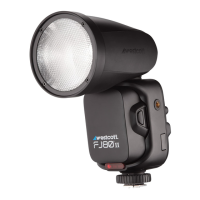
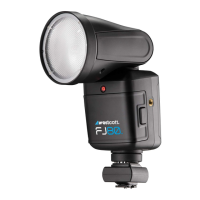
The FJ80 Speedlight is equipped with an integrated AF Assist Beam that works with various camera
models. Review your camera’s owner’s manual and familiarize yourself with the settings that need to be
adjusted in order to take advantage of this feature with your camera.
FJ80 Speedlight: HOST Wireless Operation
Enable HOST Mode
1. Quick press the physical Home button to return to the Main Menu on the display.
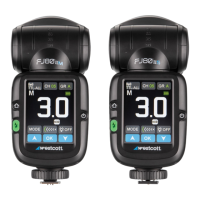
2. Quick press the digital blue HOST button on the Main Menu to enter HOST Mode.
3. Adjust the touchscreen settings using one of the following methods:
a. Method 1: Press the desired setting’s digital button repeatedly until the desired setting is
visible on the button and/ or touchscreen.
b. Method 2: Quick-press the desired setting’s digital button to highlight the selection and
use the up-and-down arrows to change the settings. Press OK to confirm the selection.
Selectable Digital Touchscreen Buttons
Top Section
● Camera Brand Button: [Canon, Fuji, Lumix, Nikon, Sony, Olympus]
● Channel Button (CH): [01-31]
● Group Button (GR): Fixed; The FJ80 will default and remain in Group A when HOST mode is
enabled.
Middle Section
● Group Selections: [A-F]
● MODE Function Button: [Manual (M), TTL, SLP]
● TTL Exposure: [+3.0] | M Exposure: [1.0 ~ 9.0]
● Modeling Lamp Control Button: [OFF [0] - [3]]
○ NOTE: The Modeling Lamp Control Button for each group serves two functions for
assigned HOST and CLIENT units;
■ a) Adjusting the output settings Minimum [1] ~ Maximum [3] will control the HOST
FJ80’s modeling lamp brightness.
■ b) Modeling lamps of FJ CLIENT flash/strobe units assigned to the same Group(s)
as the HOST FJ80 can also be controlled via this control button. However, the
modeling lamp output of CLIENT units is static, meaning the light output can only
be set to OFF [0] or ON [1~3].


 To Next Page