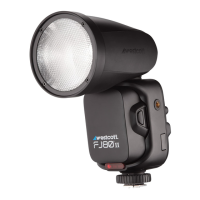
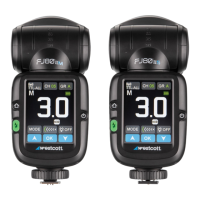
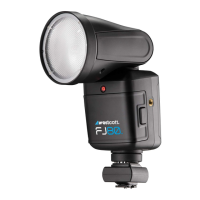
FJ80 Speedlight: Warnings
Caution
● IMPORTANT: During operation, the speedlight lens and various components of the FJ80
speedlight temperatures may increase. Please use caution while using to avoid severe burns or
injuries.
● Use only with the Westcott FJ80 Lithium Polymer Battery and Charger.
● Do not touch the speedlight lens after immediate use to avoid potential injury.
● Never leave unattended around children and/or pets.
● Always confirm proper installation, locking, and unlocking when adding or removing from the
camera hot shoe. (NOTE: Failure to completely rotate and unlock could result in damaging the
locking pin.)
● Keep away from fire, water, and moisture.
● Do not submerge in water.
● Avoid drastic temperature changes before, during, or after use.
● Always remove the FJ80 Lithium Polymer Battery from the FJ80 Speedlight during travel/storage
to avoid accidental operation, which could lead to overheating or permanent damage.
● Do not force adjust or add excessive weight to the speedlight head.
● Only use the FJ80 Speedlight with FJ80 compatible mounts, brackets, modifiers and/or
accessories.
● Do not attempt to disassemble or modify any Westcott products. Contact Westcott for assistance.
● The operating temperature range is 14°~122°F / -10~50°C).
Dual-stage Heat Protection System
The FJ80 is equipped with a self-monitoring system ensuring safe operation during continued full-power
use during a short timeframe. The monitoring system provides a staged automatic shutoff scenario;
● Stage 1: Once the speedlight reaches an internal operating temperature of 131°F (55°C), the
screen will display a yellow [OH]. The recycle time will also increase to 2 seconds in efforts to
cool the unit while allowing for further operation.
● Stage 2: Once the strobe reaches an internal operating temperature of 167°F (75°C), the screen
will display a red [OH] icon. The unit will be inoperable for an estimated 10 minutes until an
adequate internal temperature has been reached to continue operation.
● Once the unit has cooled, the red [OH] will disappear from the touchscreen, and it will then be
safe to continue operation.


 To Next Page