MANAGING USERS, GROUPS, AND SHARES
36
WD MY CLOUD EX2 PERSONAL CLOUD STORAGE
USER MANUAL
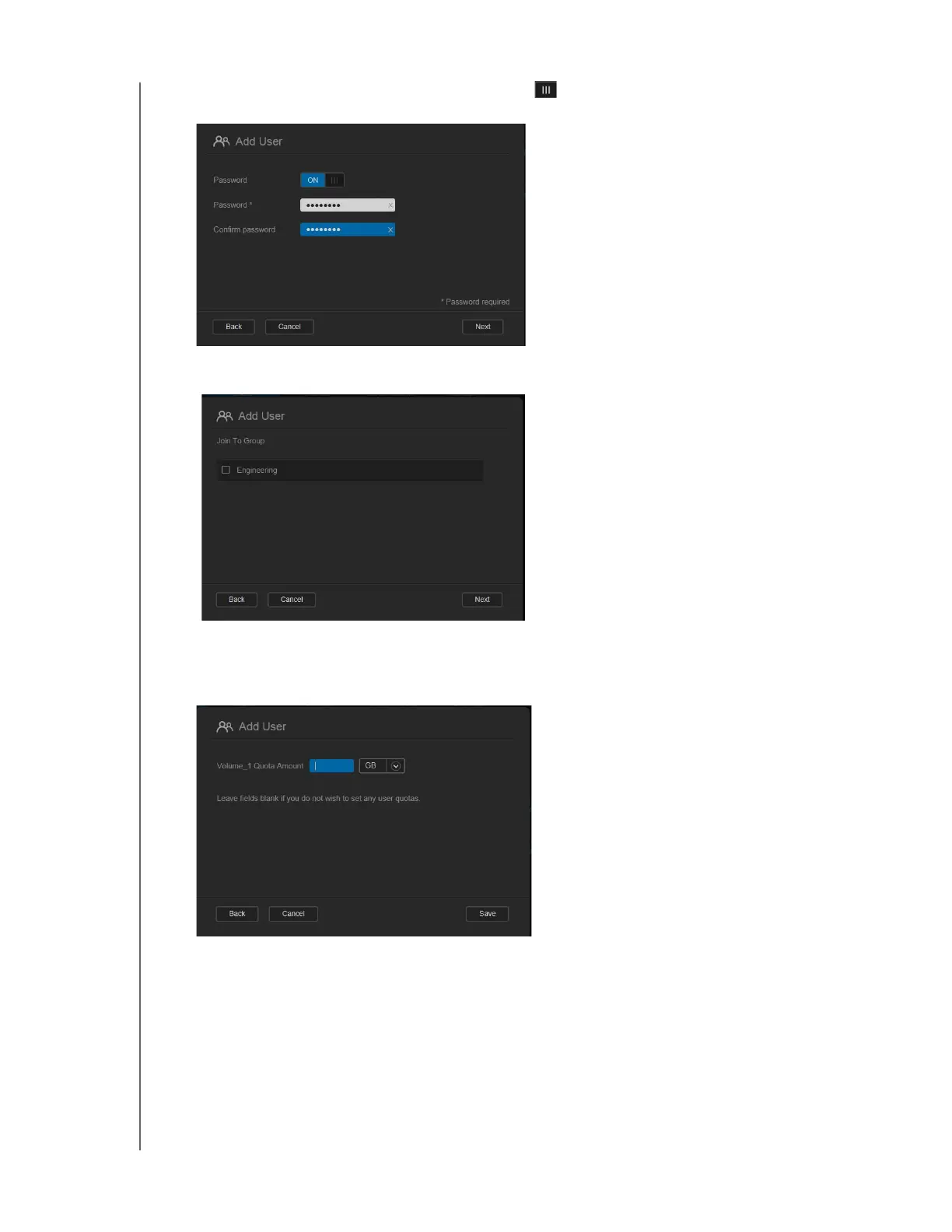
3. To assign a password, click the toggle button to ON, enter a password, and then
confirm the user’s password. Click Next.
4. To assign a group to the new user, click the check box next to a group, and then click
Next.
5. Enter the Quota Amount, or leave the values blank for unlimited space, and then click
Save. (
See “Quota Rules” on page 40 for information on quotas.) Your new user
account displays on the left pane of the Set Up Users screen.



 To Next Page