THE DASHBOARD AT A GLANCE
60
WD MY CLOUD EX2 PERSONAL CLOUD STORAGE
USER MANUAL
3. Follow the page instructions to connect your tablet or mobile device to the
WD My Cloud EX2 device.
Users
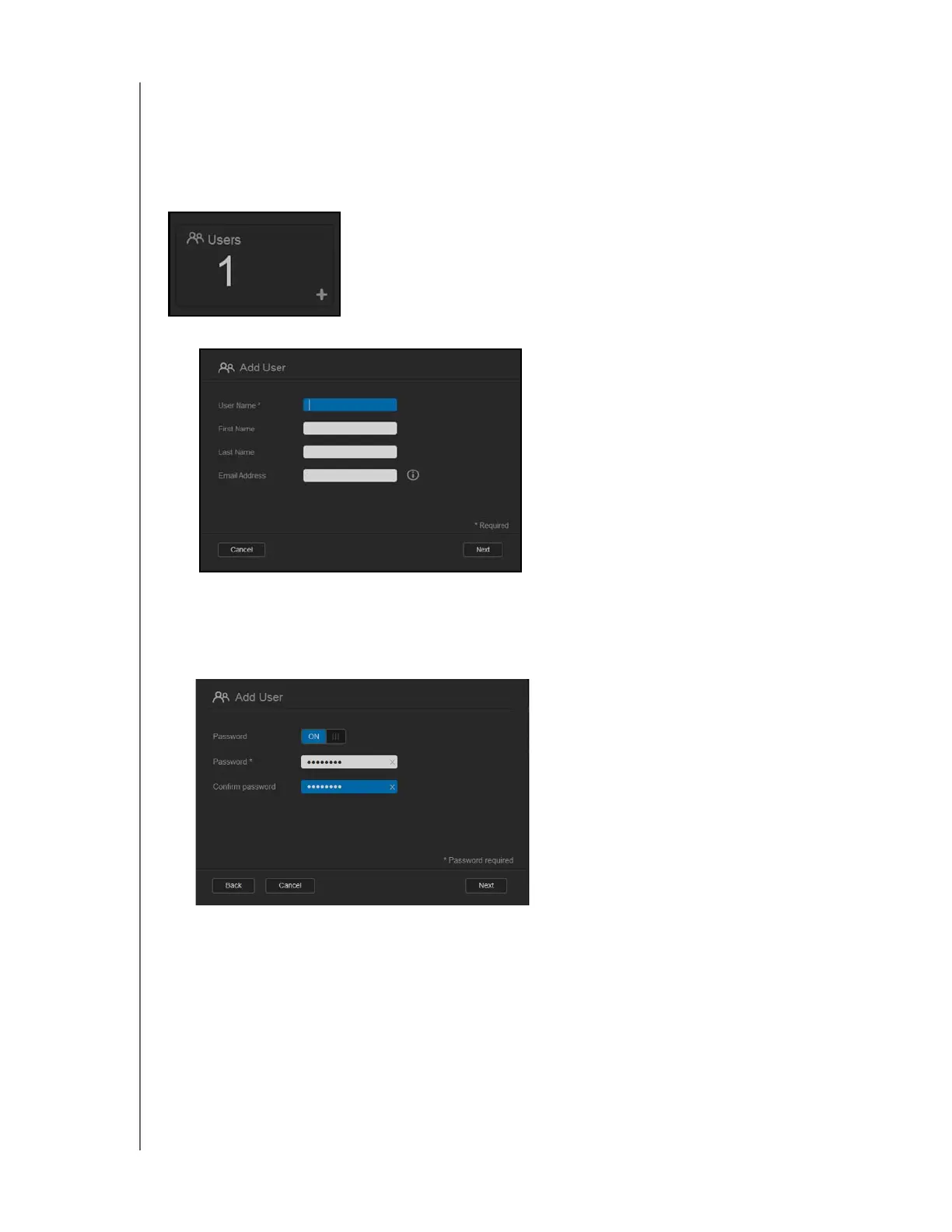
The Users panel displays the number of users currently set up to use the WD My Cloud EX2
device.
1. To add a user, click the plus (+) sign in the lower right of the panel:
Note: When you enter the email address on the Add User screen, a new account is
created for cloud access. The user receives an email with instructions on how to
activate and set up a password for cloud access.
2. Enter the required information and click Next to display a user password screen.



 To Next Page