BACKING UP AND RETRIEVING FILES
67
WD MY CLOUD EX2 PERSONAL CLOUD STORAGE
USER MANUAL
Creating a USB Backup
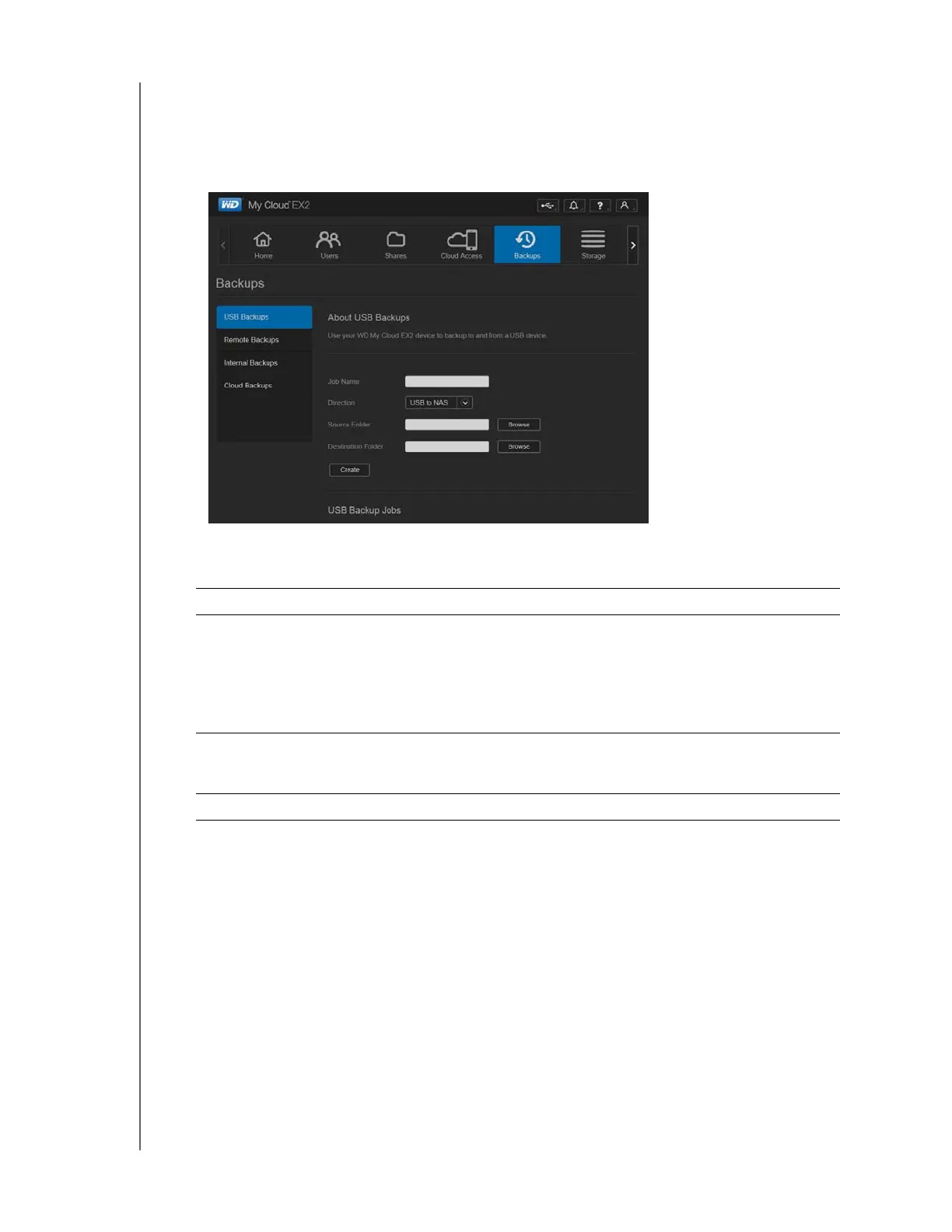
Use the following steps to back up your data on your WD My Cloud EX2 to or from a USB
device.
1. On the navigation bar, click Backups to display the Backups screen.
2. Click USB Backups, if not already selected.
3. Complete the following fields to create a USB backup job:
4. Click Create. This creates the backup job for the requested backup.
Job Name Enter a Job Name for your backup.
Direction Indicate the direction of your backup from the drop-down menu.
Options include:
• USB to NAS: Backs up the data on your USB device to the WD
My Cloud EX2 device.
• NAS to USB: Backs up the data on your WD My Cloud EX2
device to a USB device.
Source Folder Click Browse and select the folder you'd like to back
up.
Destination Folder Click Browse and select the destination folder for your backup.



 To Next Page