BACKING UP AND RETRIEVING FILES
68
WD MY CLOUD EX2 PERSONAL CLOUD STORAGE
USER MANUAL
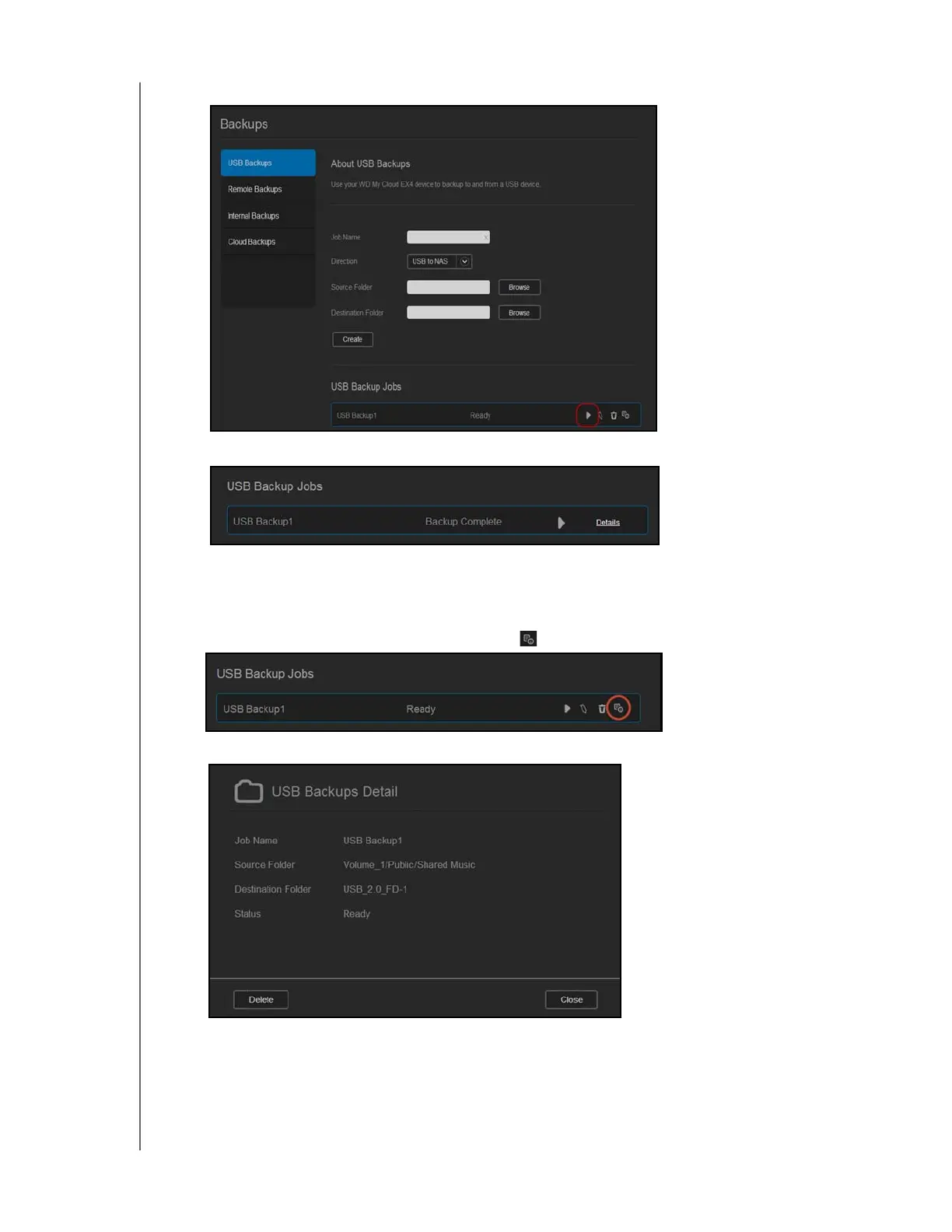
5. In the USB Backup Jobs area, click the arrow to begin your backup.
The progress of the backup displays in the USB Backup Jobs area.
Viewing the Details of a USB Backup Job
1. On the USB Backups screen, under USB Backup Jobs, select the job you’d like to
modify, and then click the Edit Job button
.
2. Review the USB Details screen, and then click Close to close the screen.



 To Next Page