BACKING UP AND RETRIEVING FILES
71
WD MY CLOUD EX2 PERSONAL CLOUD STORAGE
USER MANUAL
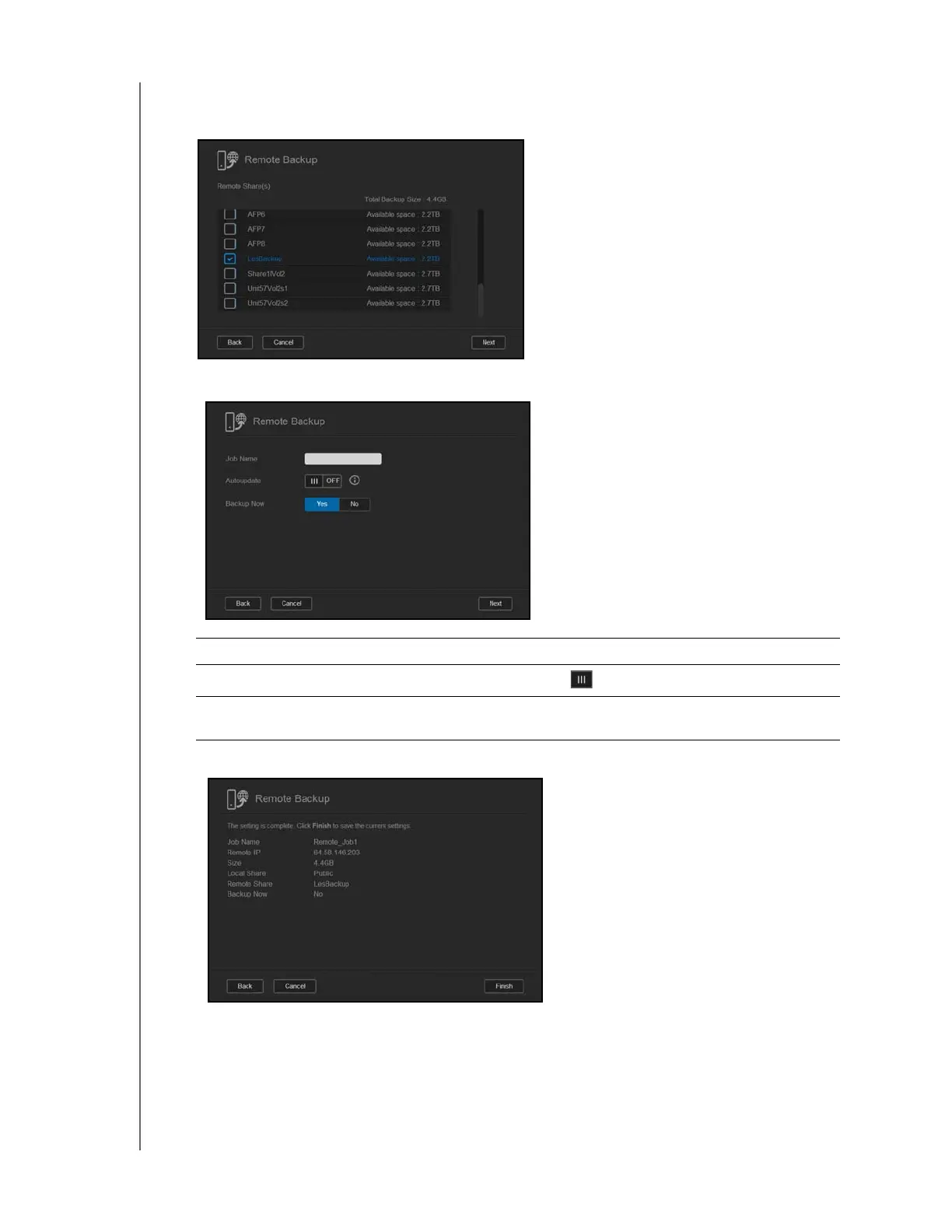
7. Select the check box next to the share where you’d like to back up your data, and then
click Next.
8. Complete the following fields to create a Remote backup job, and then click Next:
9. Review the details of your Remote Backup job, and then click Finish.
Job Name Enter a Job Name for your backup.
Auto Update
Click the toggle button to enable the Autoupdate feature.
Backup Now Click Yes to begin your remote backup now. Click No to create a
remote backup job for future backup.



 To Next Page