BACKING UP AND RETRIEVING FILES
72
WD MY CLOUD EX2 PERSONAL CLOUD STORAGE
USER MANUAL
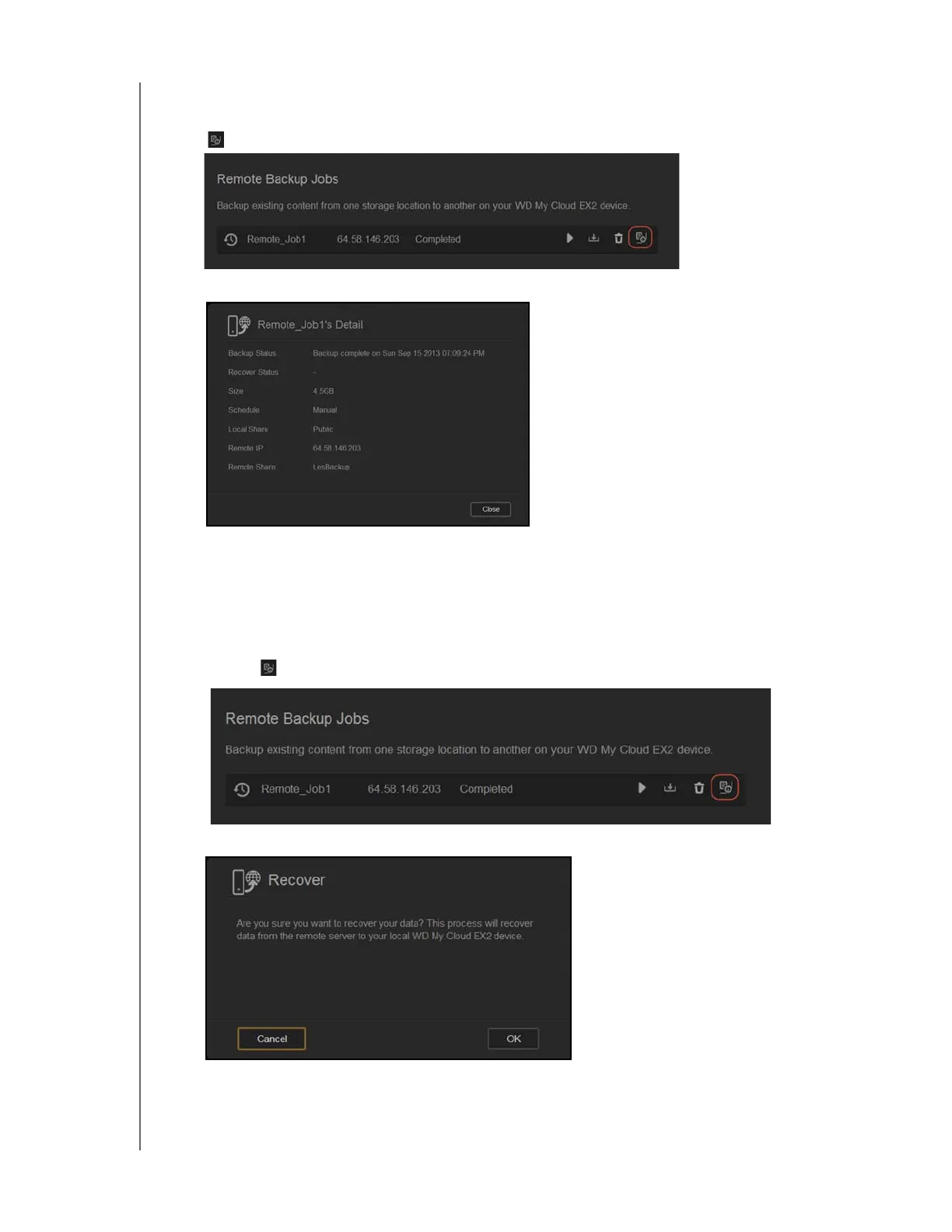
Viewing the Details of a Remote Backup Job
1. On the Remote Backup screen, under Remote Backup Jobs, click the Details button
next to the job you’d like to view.
2. Review the Details screen, and then click Close to close the screen.
Recovering a Remote Backup
Use the following steps to recover the data you saved on your remote server. This process
recovers the data you saved on the remote server to your local server.
1. On the Remote Backup screen, under Remote Backup Jobs, click the Recover
button
next to the job you’d like to view.
2. On the Recover screen, click OK. Your data recovery begins.



 To Next Page