MANAGING STORAGE ON WD MY CLOUD EX2
89
WD MY CLOUD EX4 PERSONAL CLOUD STORAGE
USER MANUAL
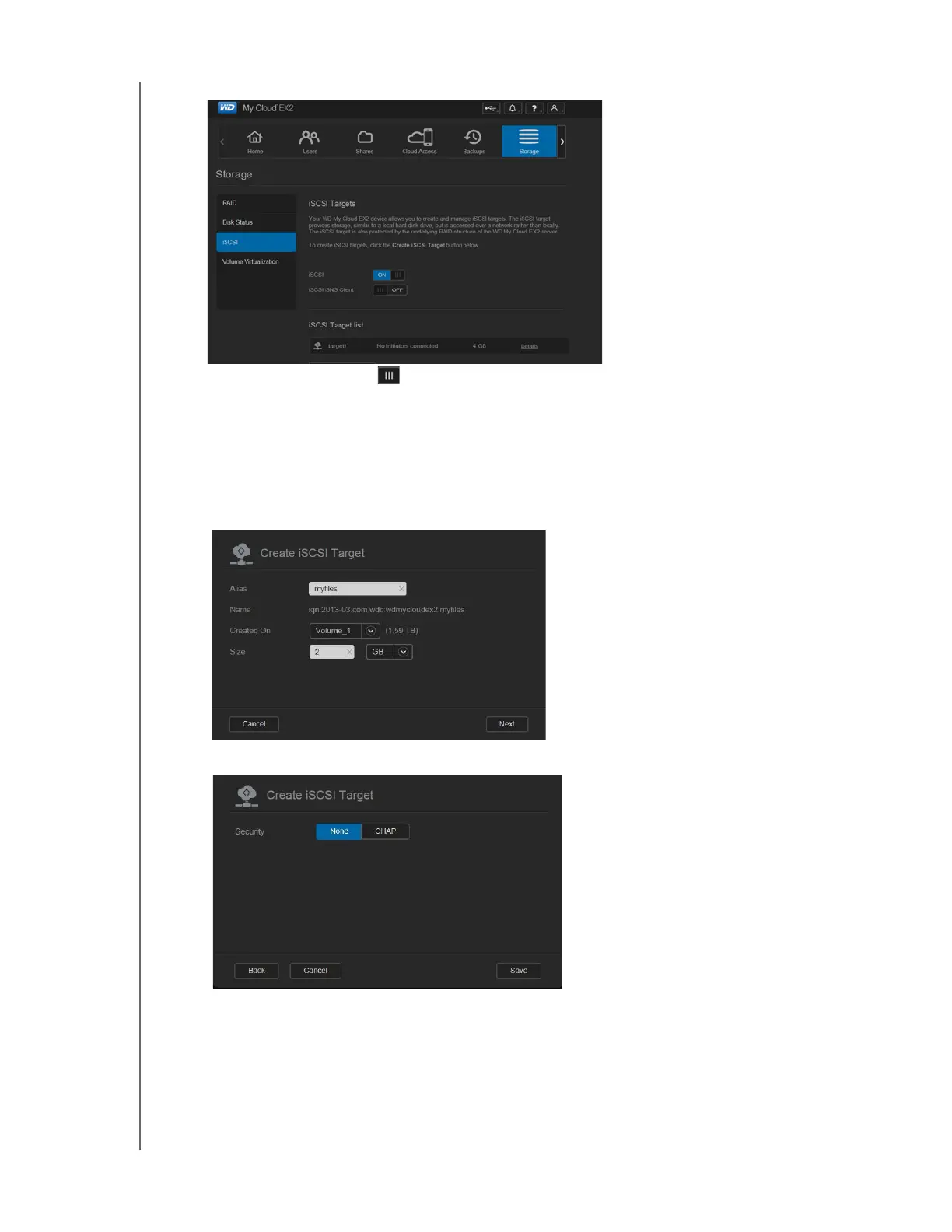
2. Click iSCSI, if not already selected.
3. Click the toggle button to enable iSCSI.
4. Click Create iSCSI Target at the bottom of the screen.
5. On the Create iSCSI Target screen, enter the following information:
Alias: Descriptive name for your target.
Created On: The Volume where you’d like the iSCSI target to reside.
Size: The size of your target and the unit of information storage for that size (e.g.
GB, TB)
.
6. Click Next. The Create iSCSI Target screen displays:
7. If you’d like to assign security for your target:
a. Click CHAP.
b. Enter an existing User Name and Password, and then confirm the Password.
8. Click Save. Your new iSCSI target is created and displays in the iSCSI Target List.



 To Next Page