ACCESSING YOUR CLOUD REMOTELY
61
WD MY CLOUD PERSONAL CLOUD STORAGE
USER MANUAL
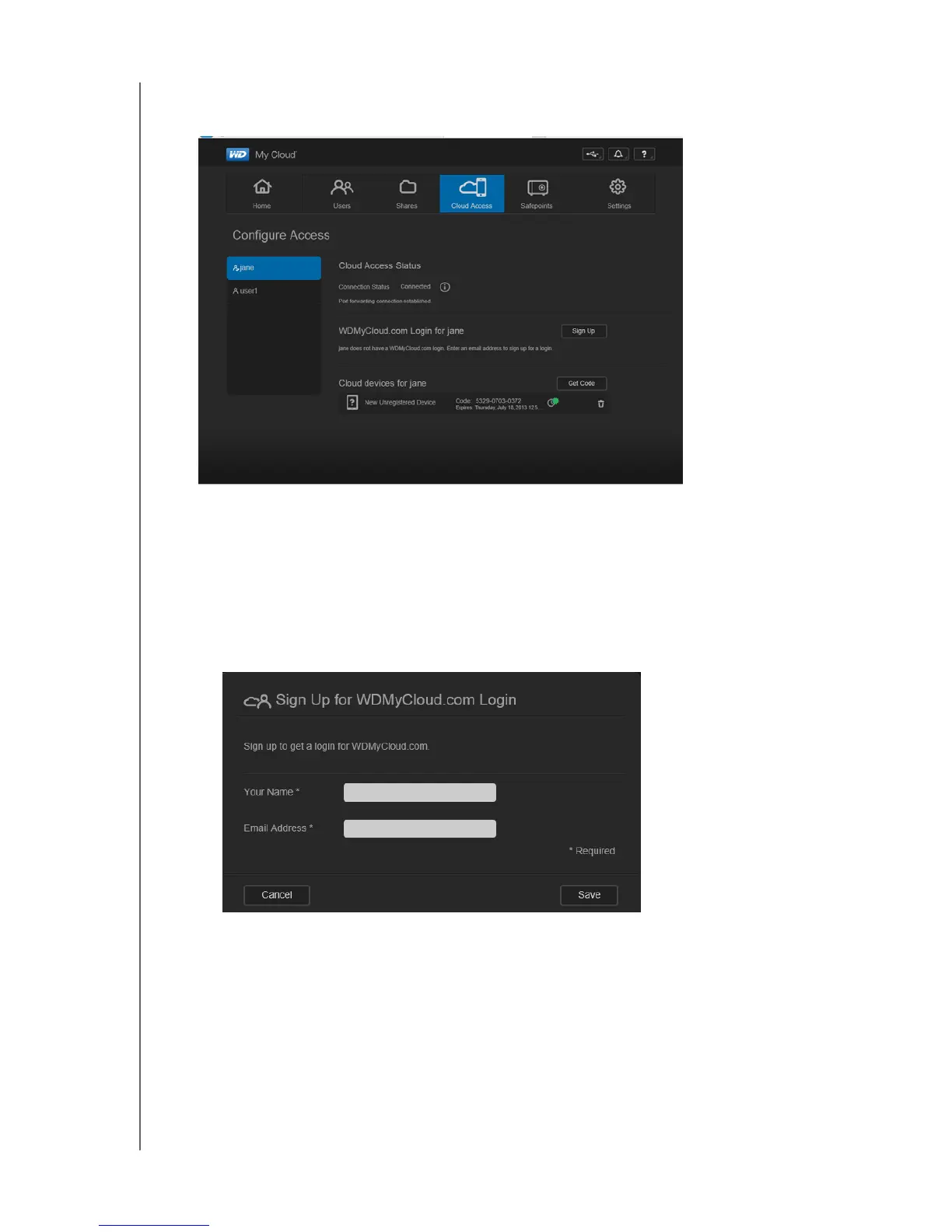
2. Select the user.
To give the user access to the WDMyCloud.com web site:
1. If the user already has a WDMyCloud.com login, you can update and/or resend it to the
user by clicking the appropriate icon.
Note: You can also delete it.
2. If the user does not have a WDMyCloud.com login:
a. Click Sign Up to display the Sign Up for WDMyCloud.com Login dialog box.
b. Enter the user’s name and email address and click Save.
c. In response to the confirmation message, click OK. The user receives the email and
must follow its instructions.















 To Next Page