ACCESSING YOUR CLOUD REMOTELY
67
WD MY CLOUD PERSONAL CLOUD STORAGE
USER MANUAL
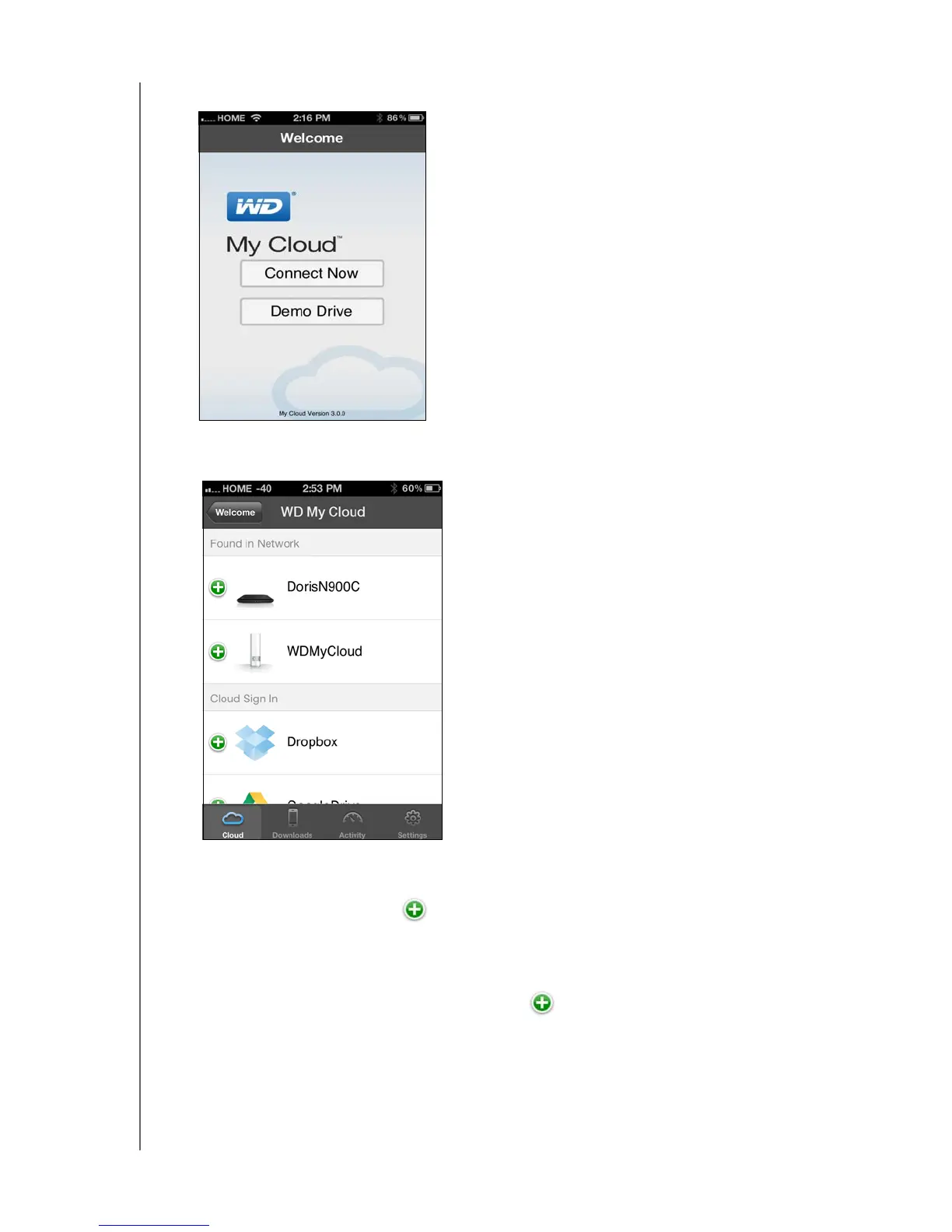
2. Launch the app to display the Welcome page:
3. Tap Connect Now.
4. You have three options for connecting to the WD My Cloud device:
Found in Network: If the mobile device is connected by Wi-Fi to the same Local
Area Network as the WD My Cloud device, the app is automatically activated.
Cloud Sign In: Tap the and sign into your personal cloud using your
WDMyCloud.com login account email address and password.
Add Manually: If the mobile device is not on the same LAN or Wi-Fi network as the
WD My Cloud device:
a. In the Add Manually section, tap the to the left of WDMyCloud.
b. Enter the activation code generated on the WD My Cloud’s dashboard and tap
Activate.















 To Next Page