THROTTLE CURVE
Interface path: HOME/MON. → [MODEL MENU] → [THROTTLE CURVE]
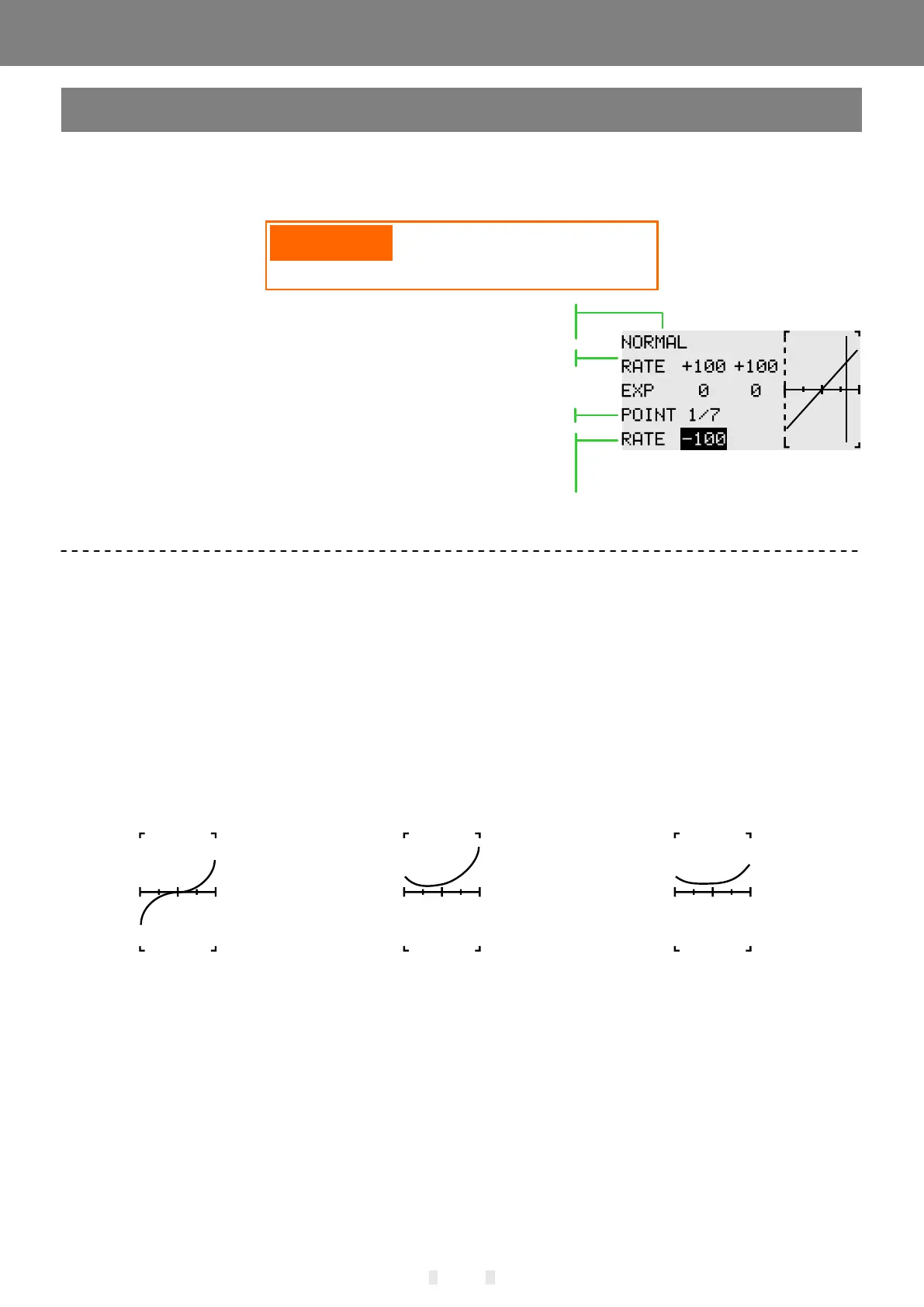
EXP+7 point broken line, adjust the throttle output curve according to the throttle stick action, so that the
engine (motor) revolution reaches the optimal flight state.
Standard Curve Idle Curve 1 Idle Curve 2
Curve setting example
The following curves are made in the default polyline adjustment. When the curve is actually set, it is
input according to the specified (or reference value) action amount of the model.
- Adjustment of the stunt curve: The stunt curve is used to keep the engine at a certain speed even if the
pitch is reduced during high altitude flight. For the purpose of movements such as tendons, roll, and 3D,
special effects curves are sometimes used depending on the stunt action.
* Flight conditions: Set the "Flight Condition" control switch in [Model Menu] → [Condition]. Switching by
the switch, the function curve setting is performed separately.
- Adjustment of the standard curve: The standard curve is a basic curve set with hovering as the center.
With the pitch curve (standard), the number of engine revolutions is fixed, and the up and down control is
the easiest.
EXP fuses 7-point polyline mode.
Adjust the upper and lower offset of the selected curve reference
point, and switch the reference point by confirming key (long press
to reset value).
Adjust the rate of output value of left and right curves respectively.
"Fly mode" controls the pitch curve, and different modes
are enabled for curve adjustment when setting.
58
MODEL MENU \ HELICOPTER
When starting the engine, be
sure to start the engine at normal
idle speed in normal mode.


 To Next Page