
 Need help?
Do you have a question about the Wfly RF206S and is the answer not in the manual?
Defines safety symbols used in the manual.
Safety guidelines for flying the model.
Information and precautions for battery usage.
Details and warnings for the trainer port.
Information and warnings for the USB port.
Overview of the transmitter and receiver specifications.
Lists the items included in the package.
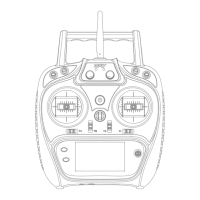
Identifies all components of the transmitter.
Explains switch functions and model type settings.
Guide on adjusting antenna direction for signal strength.
Explanation of the transmitter's home screen interfaces.
Explains the meaning of the power and RF LEDs.
How to adjust the height of the control sticks.
Guide to swapping left and right stick configurations.
Details on receiver LED status and connection.
Diagrams and tables for airplane servo connections.
Diagrams and tables for helicopter servo connections.
Diagrams and tables for multicopter servo connections.
Step-by-step guide for airplane setup.
Step-by-step guide for helicopter setup.
How to select and manage stored models.
Setting the aircraft type (heli, plane, multi).
Configuring the transmitter for trainer mode.
Adjusting screen brightness, timeout, and lock.
How to set a custom user name.
Setting low voltage alarm thresholds.
Configuring audible prompts for various functions.
Selecting the display language (Chinese/English).
Options for configuring stick modes.
Calibrating the control sticks.
Options for resetting model or factory data.
Displays system version and upgrade info.
Configuring screen lock behavior.
Process for binding transmitter and receiver.
Viewing receiver return data.
Switching receiver output modes.
Customizing receiver port output channels.
Setting fail-safe behavior for channels.
Enabling long-distance relay control.
Adjusting servo output frequency.
Configuring BUS servos.
Setting large rudder angle servos.
Testing the control distance.
Viewing servo output and performing servo tests.
Customizing channel assignments and functions.
Reversing servo direction for each channel.
Adjusting rudder angle and action curves.
Adjusting servo end points.
Setting flight timers and alarms.
Adjusting digital trim step and action mode.
Trimming neutral position of servos.
Adding delay to channel output for realism.
Creating custom mixing combinations.
Combining switches for up to 9 output ratios.
Setting dual engine control for models.
Configuring flight conditions for helicopters.
Adjusting throttle output curve for optimal flight.
Adjusting pitch curve for flight status.
Controlling throttle at lowest position for debugging safety.
Safely stopping the engine.
Adjusting gyroscope sensitivity and mode.
Switching helicopter rotor head speed.
Adjusting swash travel for aileron, elevator, pitch.
Configuring flight conditions for airplanes.
Adjusting left/right aileron ratios for dual-servo models.
Adjusting throttle action curve for optimal input.
Controlling throttle at lowest position for debugging safety.
Safely stopping the engine.
Adjusting gyroscope sensitivity and mode.
Increasing resistance for diving or landing.
Mixing flap and elevator for increased lift.
Adjusting rudder for winglets to reduce induced drag.
Adjusting elevator servo to act as aileron.
Adjusting elevator and rudder for V-tail configurations.
Setting up the Flywin model type.
Configuring flight conditions for multicopters.
Adjusting throttle output curve for optimal flight.
Controlling throttle at lowest position for debugging safety.
Safely stopping the engine.
Sound prompt for throttle stick position.
Adjusting gyroscope sensitivity and mode.
 General
| Band Width | 500KHz |
|---|---|
| 2.4G Mode | AFHDS 2A |
| Channel Bandwidth | 500KHz |
| Modulation Mode | GFSK |
| Number of Channels | 6 |
| DSC Port | Yes |
| Antenna Length | 26mm |
| RF Power | 20dBm |
| Transmitting Current | ≤120mA |
| Low Voltage Warning | Yes |
| Model Type | Heli |
| Display | No |

 To Next Page