RELAY FLIGHT
(W.BUS2) connection. The host transmitter is in the [HOME/MON.] - [Linkage Setting] - [Relay Flight] -
Enable function and set the signal control switch.
Interface path: HOME/MON.→ [LINKAGE SETTING] → [RELAY FLIGHT]
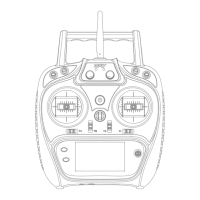
This function is a flight control mode that uses two transmitters, two receivers, and one model aircraft to
achieve long-distance relay control. The main and the sub-transmitter are linked seperately with the
receiver, the eighth pin header (PPM/W.BUS) of the sub-receiver RF209S connect with the ninth pin header
of the main receiver.
Status: Set relay flight function enable/disable.(The
setting is valid only when the receiver is connected)
Switch: Set the control signal switch.(When the switch is
ON, it is controlled by the subtransmitter. When the switch
is OFF, the signal is controlled by the main transmitter)
* [Relay Flight] need the support of receiver W.BUS!(such as RF207S/RF209S are with W.BUS port.)
* [Relay Flight] function only needs to be enabled by the main transmitter setting function. The sub-
transmitter does not need to be set to [Relay Flight].
Main
transmitter
Link
↓
Enable
[Relay flight]
Set
Diverter switch
W.BUS2
port
PPM/W.BUS
port
Link
↓
'6'Port
Set to
W.BUS
1 2 3 4 6 7 8 9 1 2 3 4 5 6
Model connect Each channel
corresponds to the servo
PPM/W.BUS
PPM/W.BUS/W.BUS2
1 2 3 4 5 6 7 8
9
RF207S RF206S
40
LINKAGE SETTING
Sub
transmitter
Set on the
[RECEIVER OUTPUT]
interface.


 To Next Page