Basic Operation
Basic setting sequence of airplane
1. Call of the model
The Rename feature makes it easy to make a
selection call to a model whose name has already
been set.
The name of the model currently in use is
displayed on the home page. Before flying and
changing the parameter settings, be sure to
determine if the correct model is selected.
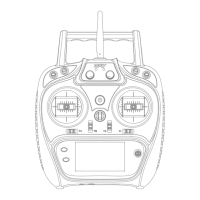
The ET08 transmitter has 16 built-in models from
the factory, and you can use the [MODEL SELECT]
under [SYSTEM SETTING] to call up the existing
model.
When a new model is added, please select
[MODEL TYPE] under [SYSTEM SETTING]
according to the model used. If a new receiver is
used, the receiver's link operation is also
required[LINKAGE SETTING]-[LINK].
2. Model type selection
Use the [MODEL TYPE] function under [SYSTEM
SETTING] to select the model type, wing type, and
tail type that match the model airplane.
For example, the left and right azimuth servos
can be selected from the main wing type by
selecting "2 ailerons" and adjusting the two servos
in [SUB-TRIM] and [END POINT] respectively.
● If the direction of the actual connection is
opposite to the direction you want, you can use
[SERVO REVERSE] under [GENERAL MENU] to
adjust the direction.
Install the ailerons, elevators, throttles, rudders,
etc. as required by the model aircraft product
specification. For the connection method, refer to
the "Receiver and Servo Connection Example -
Airplane" (P16).
[AIR BRAKE] function is used when landing, etc.,
when the sliding angle is large but the speed is no
need to be increased. This function can only be
used on models with [SYSTEM SETTING] - [MODEL
TYPE] and "2 Ailerons" on the wing.
7. Flight conditions
After the flight condition setting is completed, the
switch needs to be operated, and the condition
name displayed on the interface is confirmed.
*Normally, the left and right ailerons are
simultaneously set to the upward movement, and
the pitch of the nose can be corrected by the
elevator mixing when the function is started.
● Use the [END POINT] under [GENERAL MENU]
to adjust the end point and rotation angle of each
rudder surface, and use the [SUB-TRIM] function
and the [END POINT] function to make fine
adjustments. In order to protect the connecting rod,
the stroke limit position can be set in the [END
POINT] function item. [END POINT] function item
can adjust the up and down or left and right
movement amount of each rudder surface And limit.
Please use the [THROTTLE CUT] function option
under [MODEL MENU] to set. After the flame out
function is activated and the corresponding switch
is selected, the throttle position will be adjusted
until the carburetor is fully closed. For safety
reasons, the activation position of the throttle lever
position corresponding to the throttle stop function
can be set separately.
4. Throttle Cut Setting (Airplane)
● Install the throttle section to ensure that the
carburetor/electronic governor can be fully open or
fully closed.
[DUAL RATE] function is to match the feeling of
control and adjust the rudder angle, which makes
the control more convenient. The basic operating
range of the steering gear is set in the [END POINT]
function under [GENERAL MENU], and the steering
feel is adjusted by the [DUAL RATE] ratio function of
the [GENERAL MENU]. In addition, after setting the
rudder angle ratio, it can also be switched by the
switch or flight condition, and the flight action can be
used to call up the set rudder angle.
* When the [THROTTLE CUT] function is
activated, the engine flame out position will be fixed.
If the throttle cut switch is not required, use the [
IDLE DOWN] setting function below.
The factory default setting assigns only one flight
condition per model. Only one flight condition can
support basic flight without barriers, but if you are in
a competitive situation such as a game, you need
more detailed settings. Through the [CONDITION]
function in [MODEL MENU], you can select the
required flight conditions more effectively. It can
also be set for the switch of the condition switch and
the name of the condition.
Note: ET08 transmitters have different channel
assignments depending on the model type, so
please pay special attention (in the [FUNCTION]
option under [GENERAL MENU], you can check the
allocation of each channel).
The [THROTTLE CUT] function allows us to turn
off the engine by only one switch without affecting
the throttle trim position (after idle adjustment).
6.Air brake
3. The fuselage control part connect
5.Dual Rate Setting
19


 To Next Page
 Loading...