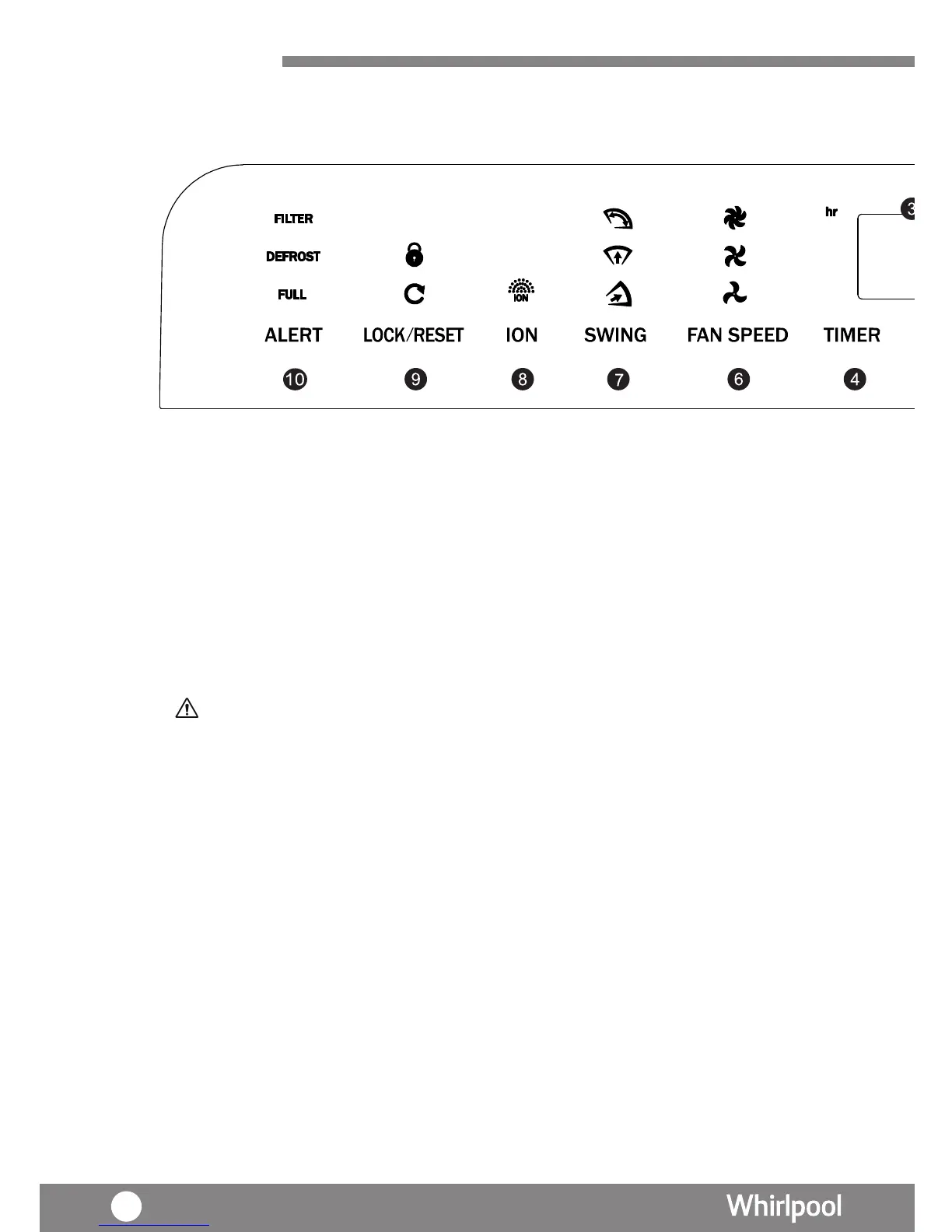
Product
Overview
1. Power key
On/Off the unit
2. MODE
Select 6 different operation mode includes
(P.40)
(P.39)
(P.40)
(P.41)
·6th Sense
·Dehumidifying
·Laundry
(P.41)
3. LED Display (P.39)
4. Timer Key (P.39)
Set the duration for humidity mode.
5. Humidity Key (P.39)
Set your desire humidity
When “%” lights, Indicates the approximate humidity; When “hr” lights, indicates
the Timer. After setting, LED Display will show the current humidity (except Laundry and
Air Purify mode). The displayed range of humidity is from 35% - 80%
·Night
·Air Purify Mode (Auto)
·Air Purify Mode (Manual)
(P.42)
Remarks:
When the room relative humidity is higher than 80% , "HI" will be displayed.
When the room relative humidity is lower than 35% , "LO" will be displayed.




 To Next Page