EN
15
User manual
CLEANING THE WATER FILTER / DRAINING RESIDUAL WATER
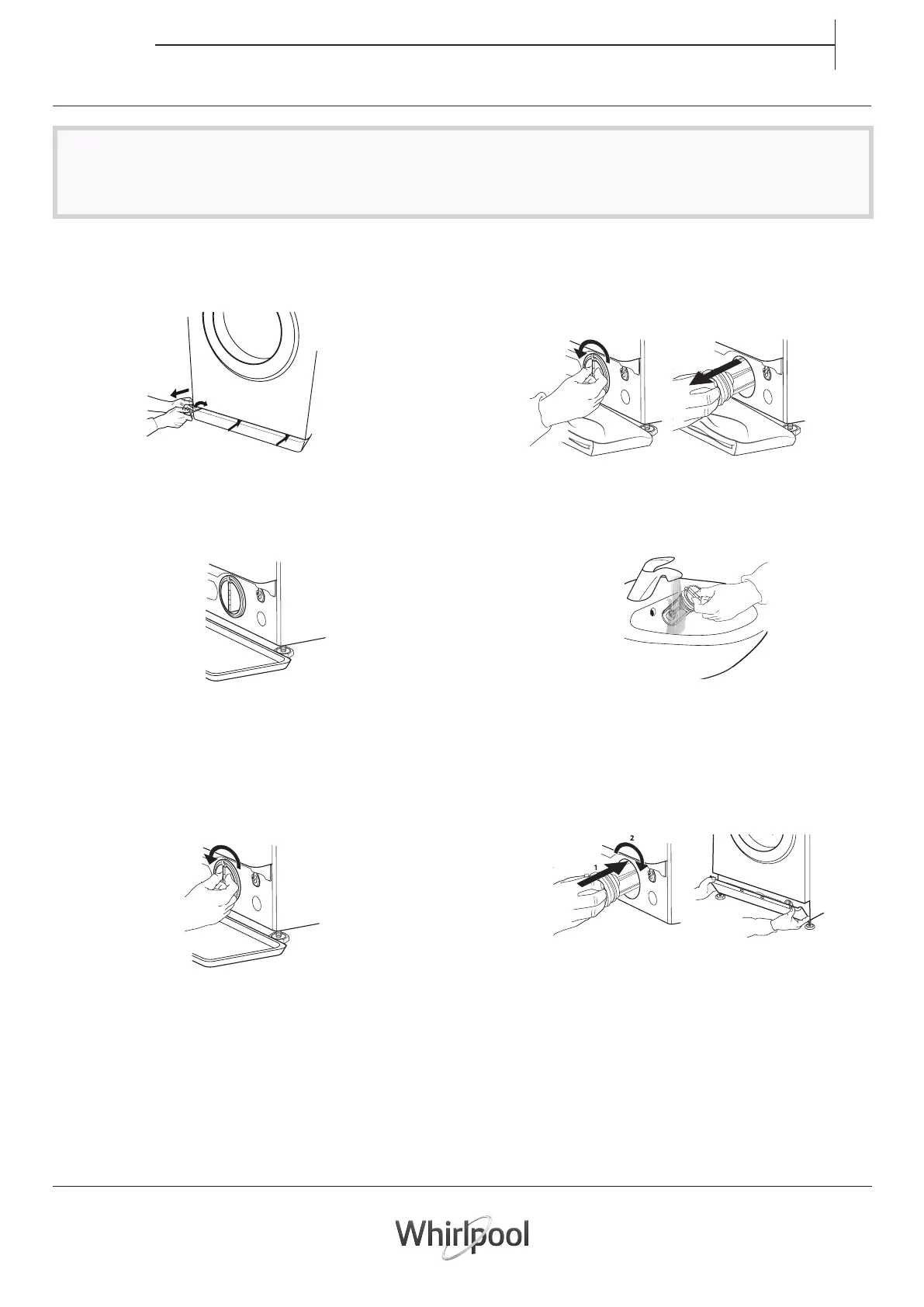
6. Remove the kick panel: Using a screwdriver, do that which
is shown in the following gure.
7. Container for the drained water:
Place a low and wide container under the water filter
in order to collect the residual water.
8. Drain the water:
Slowly turn the lter counter-clockwise until all the
water has come out. Allow the water to ow out without
removing the lter. Once the container is full, close the
water lter by turning it clockwise. Empty the container.
Repeat the procedure until all the water has been
drained.
9. Removelter:Layacottonclothbeneaththewaterlter,
which can absorb a small amount of rest water. Then
remove the water lter by turning it out anticlockwise.
10. Clean the water lter: remove residues in the lter and
clean it under running water.
11. Insert the water filter and reinstall the plinth: Reinsert
the water lter again by turning it in clockwise direction.
Make sure to turn it in as far as it goes; the lter handle
must be in vertical position. To test water tightness of
the water lter, you can pour about 1 liter of water into
the detergent dispenser. Then reinstall the plinth.
Switch o and unplug the washing machine before cleaning the water lter or draining residual water. If you used a
hot wash programme, wait until the water has cooled down before draining any water.
Clean the water lter regularly, to avoid that the water cannot drain after the wash due to obstruction of the lter. If
the water cannot drain, the display indicates that that the water lter may be clogged.





 To Next Page