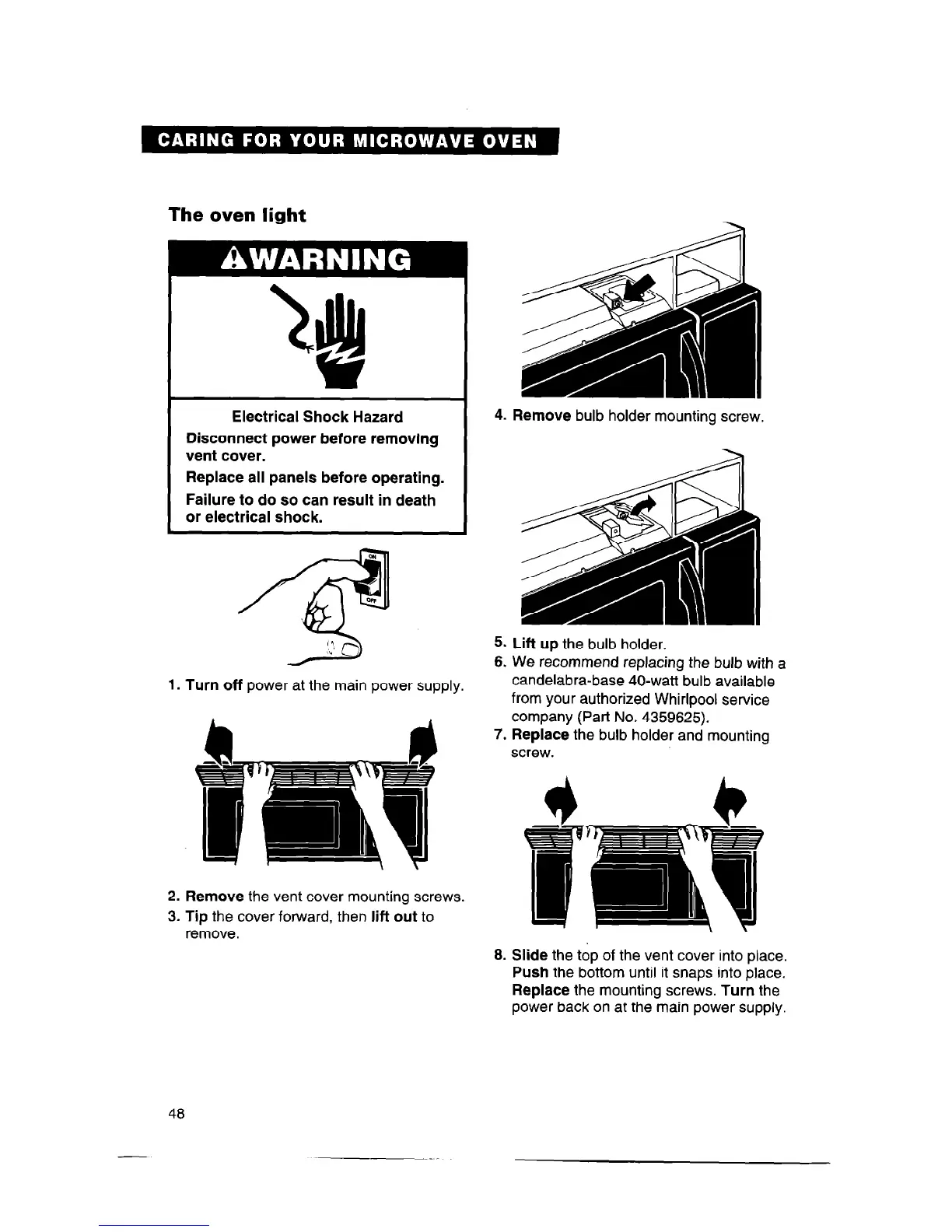
The oven light
Electrical Shock Hazard
Disconnect power before removing
vent cover.
Replace all panels before operating.
Failure to do so can result in death
or electrical shock.
1.
Turn
off power at the main power supply.
2.
Remove
the vent cover mounting screws.
3. Tip
the cover forward, then
lift out
to
remove.
4.
Remove
bulb holder mounting screw.
5.
Lift up
the bulb holder.
6. We recommend replacing the bulb with a
candelabra-base 40-watt bulb available
from your authorized Whirlpool service
company (Part No. 4359625).
7. Replace
the bulb holder and mounting
screw.
8. Slide
the top of the vent cover into place.
Push
the bottom until it snaps into place.
Replace
the mounting screws.
Turn
the
power back on at the main power supply.
48



 To Next Page