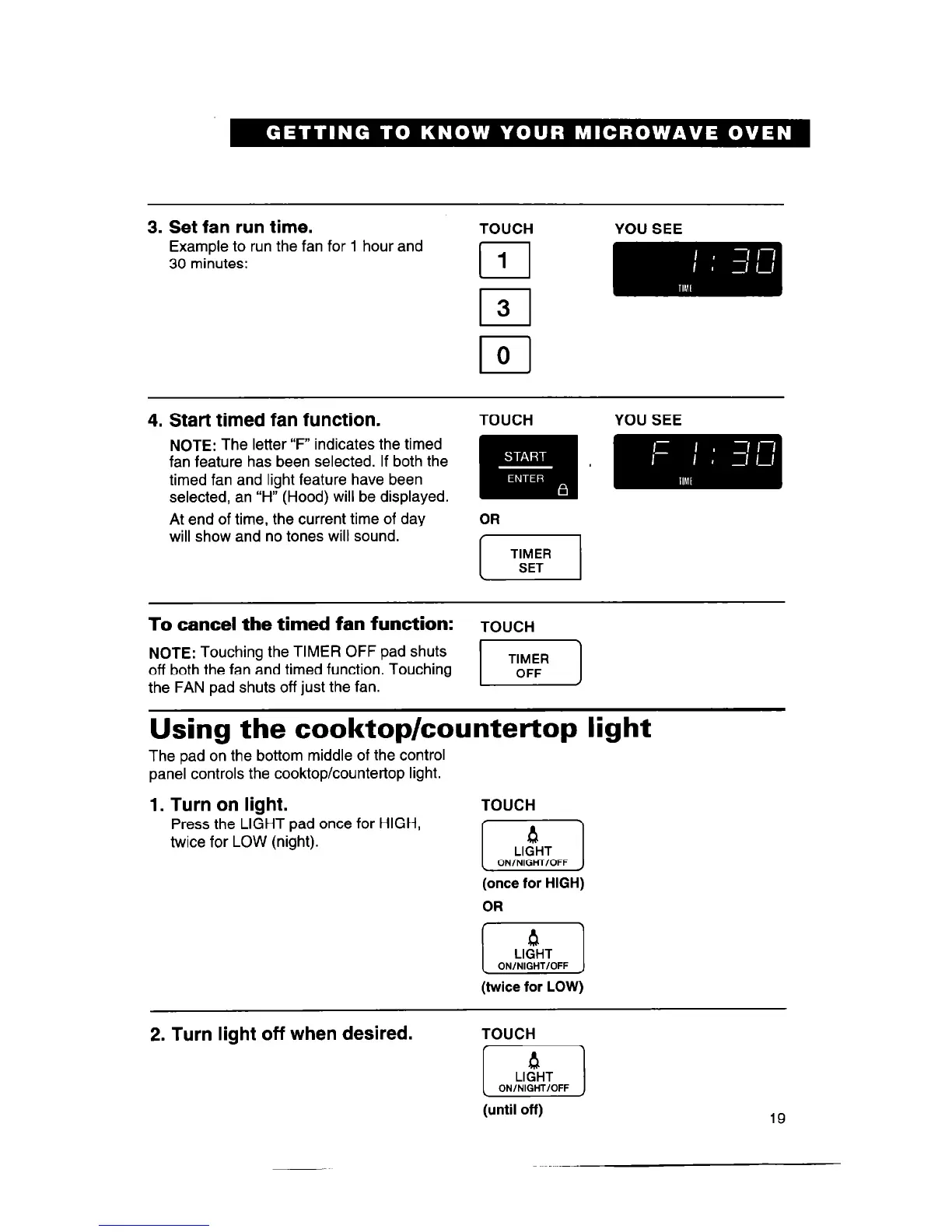
3. Set fan run time.
TOUCH YOU SEE
Example to run the fan for 1 hour and
30 minutes:
I
1
I
3
4. Start timed fan function.
TOUCH YOU SEE
At end of time, the current time of day
will show and no tones will sound.
To cancel the timed fan function:
TOUCH
NOTE:
Touching the TIMER OFF pad shuts
off both the fan and timed function. Touching
the FAN pad shuts off just the fan.
Using the cooktop/countertop light
The pad on the bottom middle of the control
panel controls the cooktop/countertop light.
1. Turn on light.
Press the LIGHT pad once for HIGH,
twice for LOW (night).
TOUCH
4
El
LIGHT
ON/NIGHT/OFF
(once for HIGH)
OR
1 ON/&OFF 1
(twice for LOW)
2. Turn light off when desired.
TOUCH
(until off)
19



 To Next Page