The Oven Lights
Both oven lights will come on when you push the
Oven Light
switch on the
control panel. Push the switch again to shut them off. Both lights will also come
on when the upper oven door is opened.
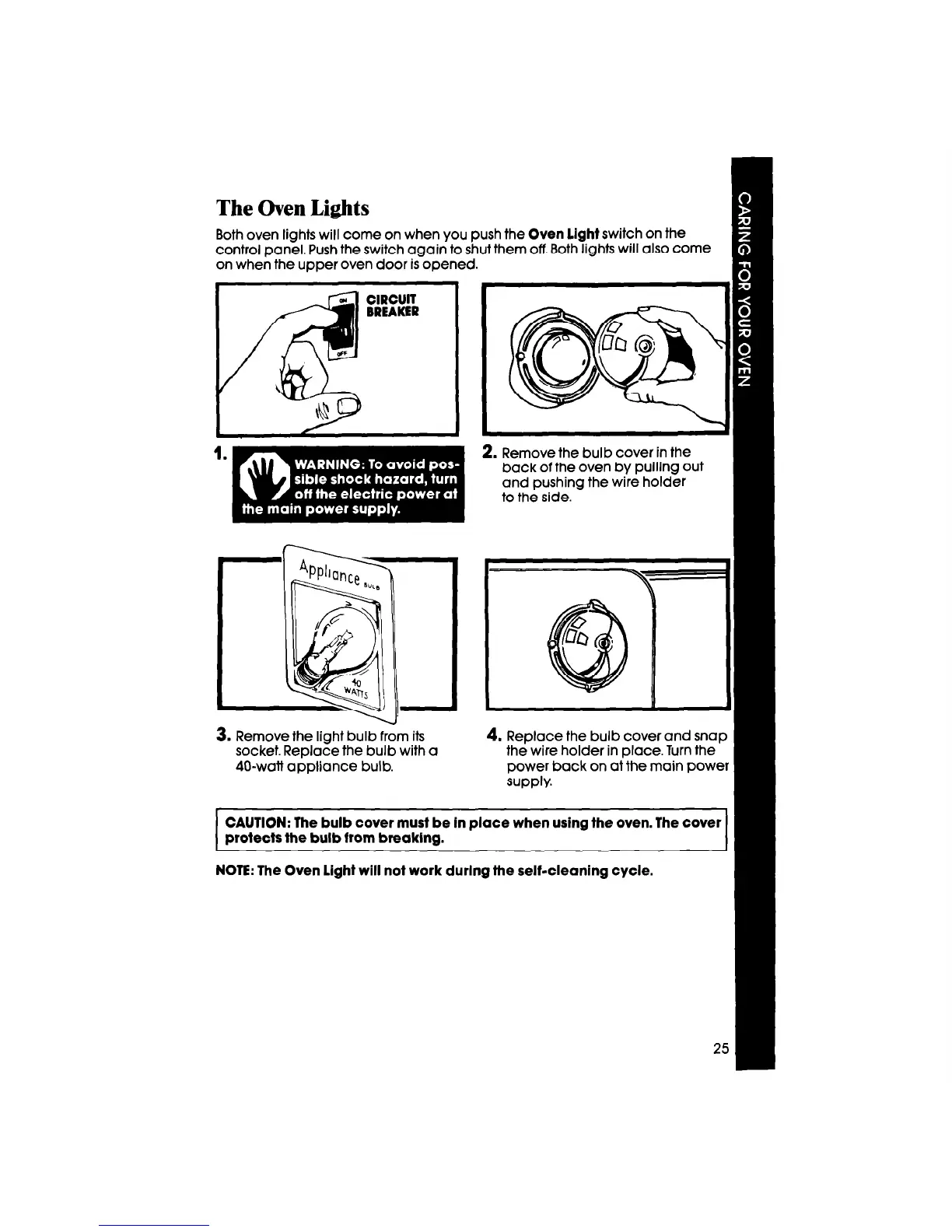
3. Remove the light bulb from its
socket. Replace the bulb with a
40-watt appliance bulb.
2. Remove the bulb cover in the
back of the oven by pulling out
and pushing the wire holder
to the side. -
4. Replace the bulb cover and snap
the wire holder in place. Turn the
power back on at the main power
supply.
CAUTION: The bulb cover must be In place when using the oven. The cover
protects the bulb from breaklng.
NOTE: The Oven Light will not work durlng the self-cleaning cycle.



 To Next Page