20 21
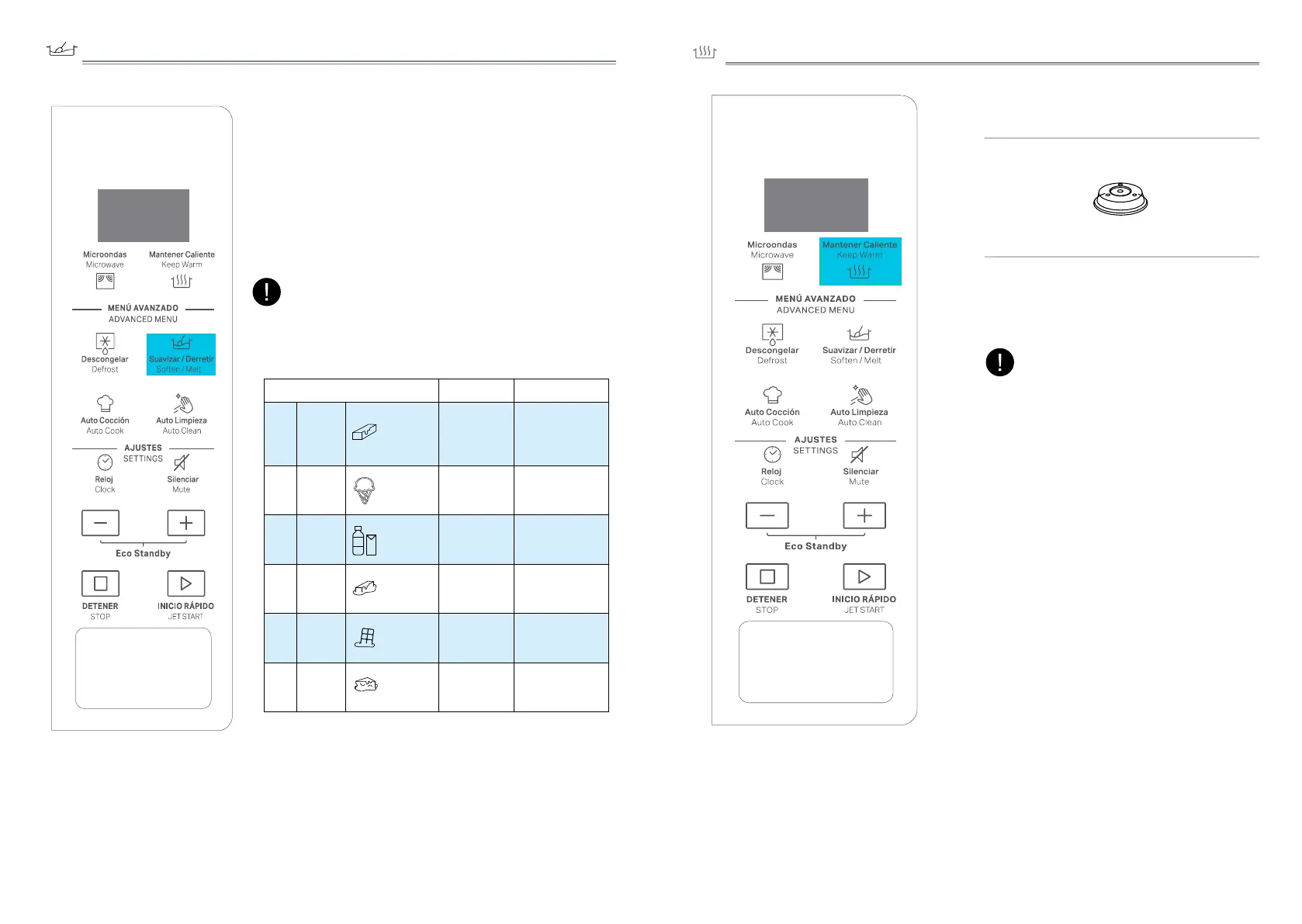
SOFTEN/MELT
A selection of automatic recipes with preset values to
offer optimal cooking results.
q
Press the Soften/Melt button.
w
Press Soften/Melt button repeatedly or press +/-
button to select the desired recipe (see the table
below).
e
Press the JET START button to confirm the recipe
and press +/- button to select the weight when
there is a weight range in the table.
r
Press the JET START button.The function will start.
The cooking recipe will be confirmed once you leave
the function button for 3 seconds,press the function
key again to change the recipe type.
NOTE:
FOOD TYPE WEIGHT HINT
p 1
Soften
Butter 50g - 500g/50g
From refrigerator state,
unwrap and place in
microwave safe dish.
p 2
Soften
Ice Cream 100g - 1000g/50g
From frozen
state,place ice cream
container on turntable..
p 3
Soften
Frozen Juice 250ml -1L/250ml
From frozen state,
remove lid from
container.
p 4
Melting
Butter 50g - 500g/50g
From refrigerator state,
unwrap and place in
microwave safe dish
p 5
Melting
Chocolate 100g - 500g/50g
From room
temperature, place in
microwave safe dish.
p 6
Melting
Cheese 50g - 500g/50g
From refrigerator state,
place in microwave
safe dish
q
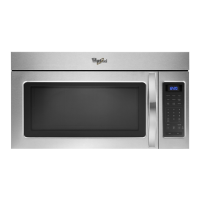
Press the Keep Warm button.
w
Press +/- button to select suitable time,
then press JET START button.
KEEP WARM
This function allows you to keep your
dishes warm automatically.
NOTE:
Suggested Accessory:
Plate Cover(sold separately)
• This function defaults to 30 minutes.
• User can press the +/- button to increase/
decrease the keep warm time by 15
minutes.
• The longest keep warm time is 60 minutes.



 To Next Page