12 13
q
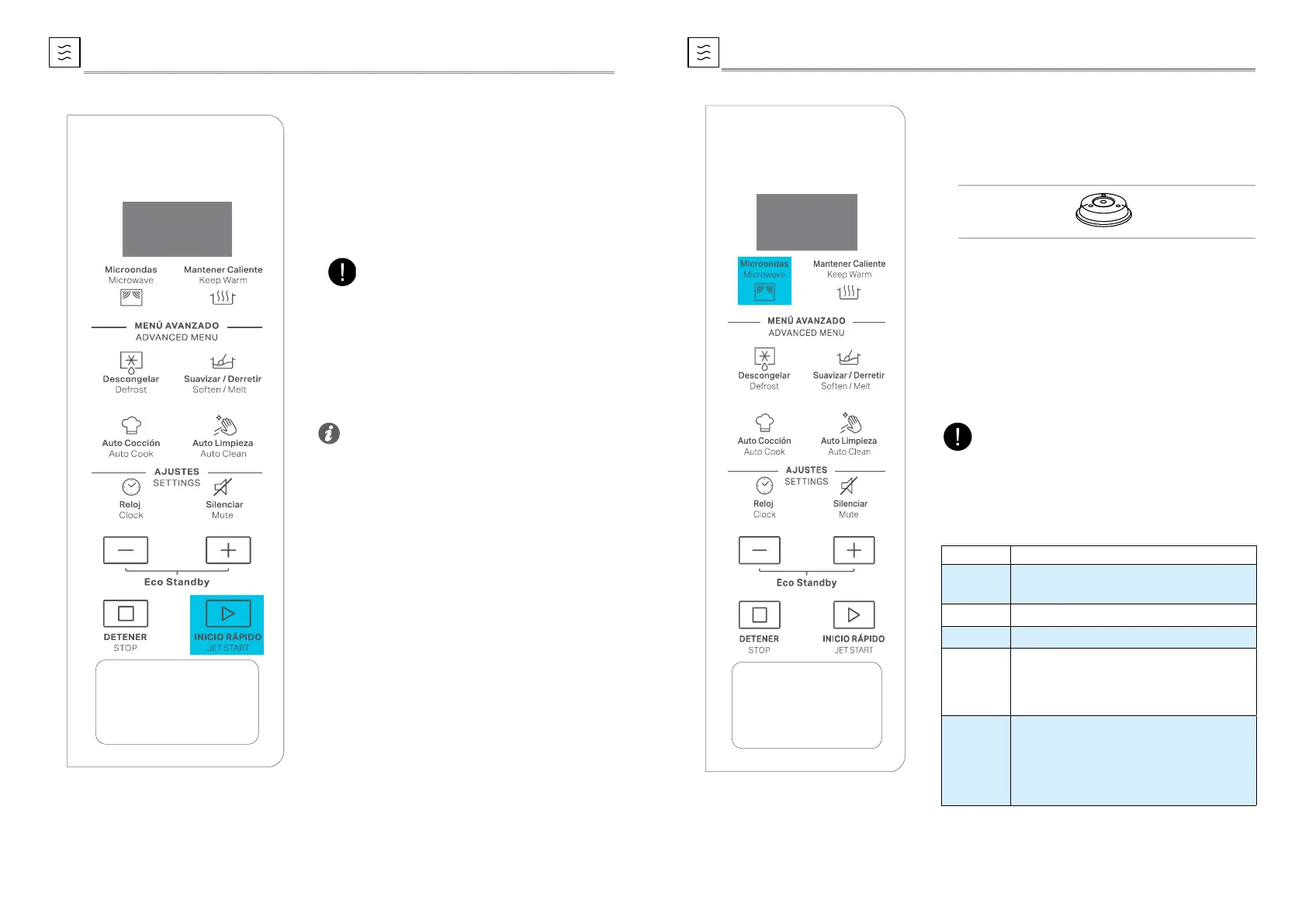
Press the Microwave button. The default
power level (700W) will be shown on the
display and the watt icon starts blinking.
w
Press the Microwave button repeatedly or
press +/- button to select suitable cooking
power, then press JET START button.
e
Press + / - to set the cooking time,then
press JET START button to start cooking.
MICROWAVE
To cook with microwave power individually,
press the Microwave button repeatedly to select
a cooking power level, then press +/- button to
set a desired cooking time. The longest cooking
time is 90 minutes.
Suggested
Accessory:
Plate Cover
(sold separately)
POWER SUGGESTED USE
90 W
Softening ice cream, butter and
cheeses.
160 W Defrosting.
350 W Simmering stews, melting butter.
500 W
More careful cooking e.g. high
protein sauces, cheese and egg
dishes and to nish cooking
casseroles.
700 W
Cooking dishes, not possible to stir.
Reheat of beverages, water, clear soups,
coffee, tea or other food with a high
water content. If the food contains egg or
cream choose a lower power
NOTE:
If need to change the power, press the Microwave
button again, the desired power level can be
selected as below table.
This feature allows you to start the oven
quickly. Press JET START button once, the oven
starts work at full power level automatically.
During cooking, press JET START to add time.
The longest cooking time is 90 minutes.
q
Press the JET START Button.
JET START
• It is possible to change the power level and
the duration time even after the cooking
process has been already started. To adjust
the power level, simply press the Microwave
button repeatedly. To change the duration
time, please press +/- button.Or press the JET
START button once to increase the duration
time by 30 seconds.
NOTE:
Pressing the JET START button, the Microwave
function will start at full microwave power
(700W) for 30 seconds.
Tips and suggestions:



 To Next Page