18
4.4 Install the batteries and attach front cover
InstalltheincludedAAalkalinebatteriesandpushthefrontcoverontothethermostatbaseuntilit’ssecure.
4.5 Congure thermostat
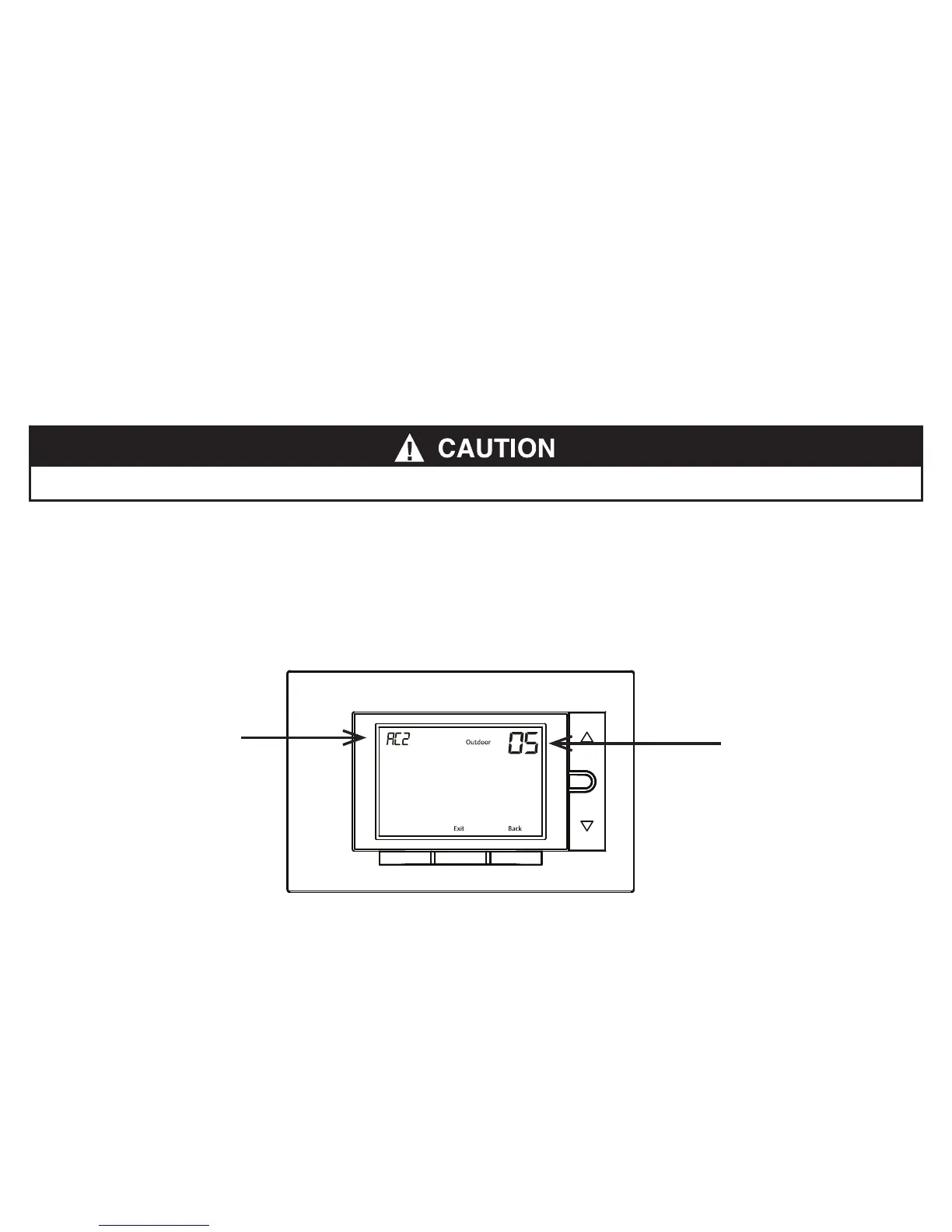
Holdthemenubuttondownfor8secondstolaunchtheinstallermenu.Yourscreenwillchangetotheconguration
menu.
Settherst3items(05,10,15)tomatchyourequipment.PleaserefertothetableinSection 4.3 and Section 3.3
tondoutyourequipmenttypeandoldwirings.
Do not restore power to the heating and cooling system until instructed.
Menu
FanAwaySystem
Menu
AC2: setting of the item
05: number of item on
installer menu












 To Next Page