Kunststoffschweißtechnik
Indicating and operating elements Chapter 4
18.07.2013 Working Instructions WIDOS ESI 4000 Page 14 of 37
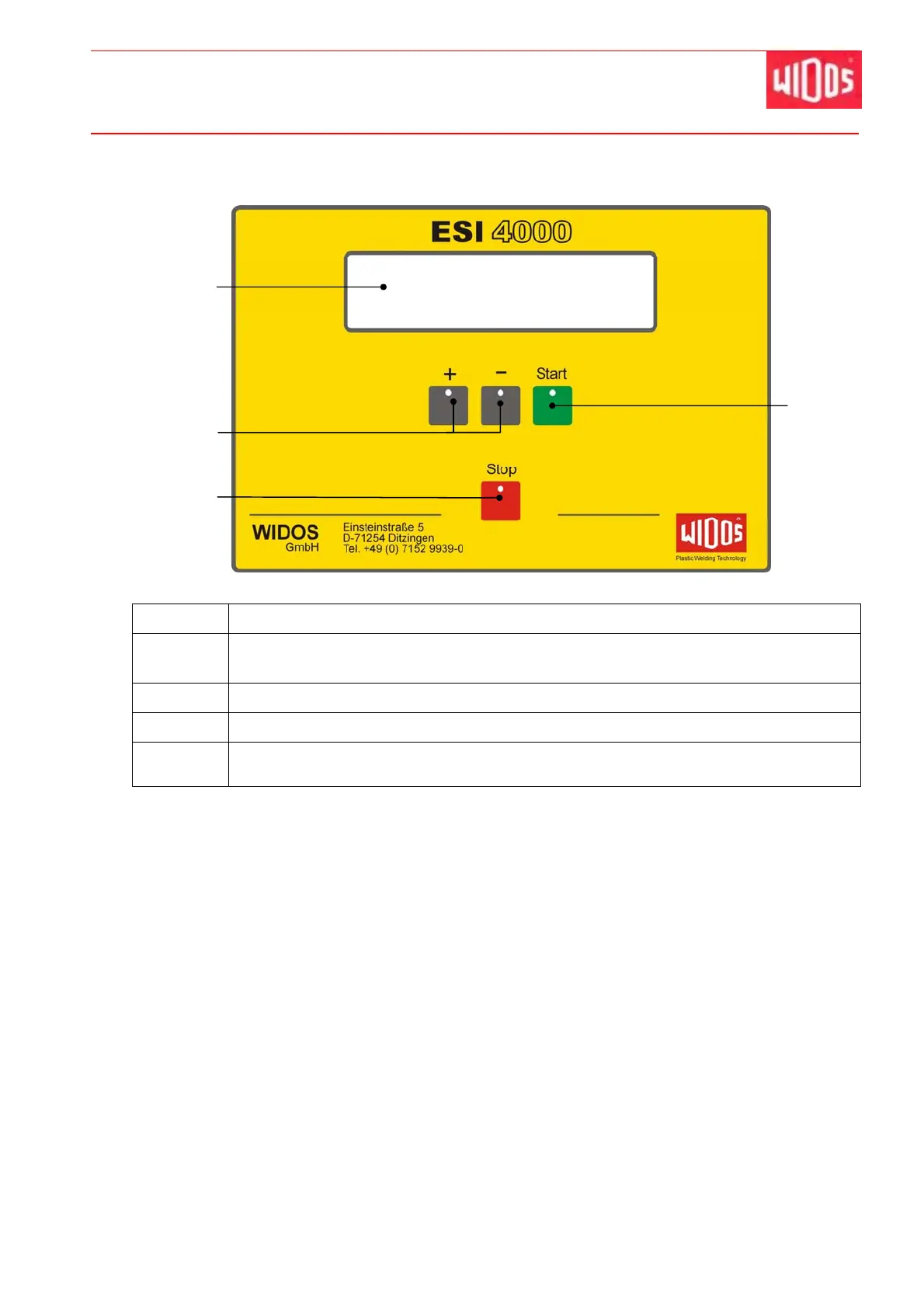
4.3. Control panel
No. Denomination / Function
15 Display, indicates working steps and status messages, several values can be
indicated at once.
16 <+> / <-> - buttons, for manually entering socket code number / parameter
17 <Stop> - button, aborts the welding process
18 <Start> - button: starts the welding process
- Confirms the entered parameters
15
16
17
18



 To Next Page