54 WIKA operating instructions, model CPG1500
EN
14161966.06 03/2024 EN/DE
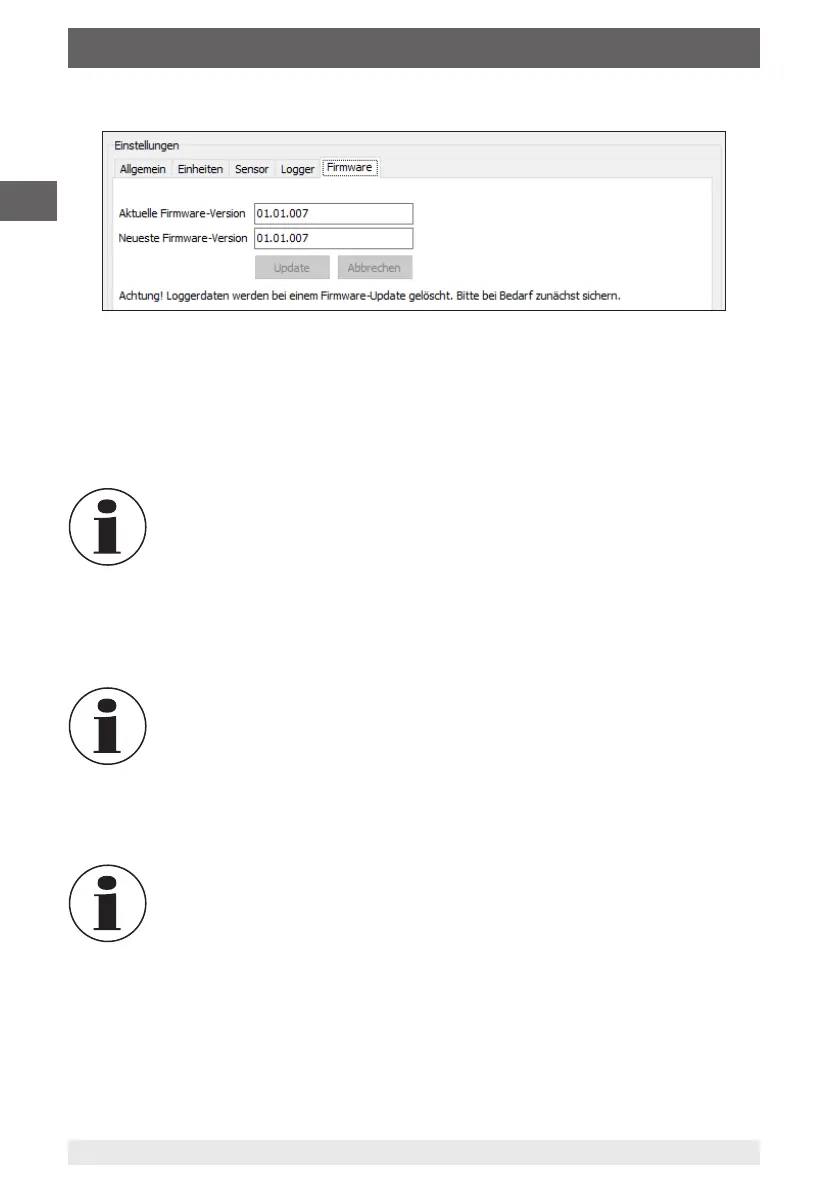
7. Select the register “Firmware”.
The software checks automatically if the latest firmware is installed on the CPG1500.
This is displayed directly.
If a new firmware version is available, you can carry out an update.
8. Press the [Update] button in order to start the update.
⇒
The update is uploaded via the internet connection to the CPG1500.
⇒
The status is displayed via a percentage display.
Do not disconnect the connection while the firmware is being transferred
to the instrument.
9. As soon as the update is completed, the instrument must be restarted or connected
again by means of the USB cable.
⇒
The update is completed.
Do not remove the batteries. This will result in the loss of all update data
and the procedure must be repeated.
If the “Firmware” register is selected again, the software indicates that the firmware is
up to date.
By carrying out a firmware update, all stored logs are deleted. For this
reason, all logs have to be stored beforehand.
6. Operation via menu functions



 To Next Page