29WIKA operating instructions, model CPH6400
11313439.04 12/2012 GB/D
GB
6. Commissioning, operation
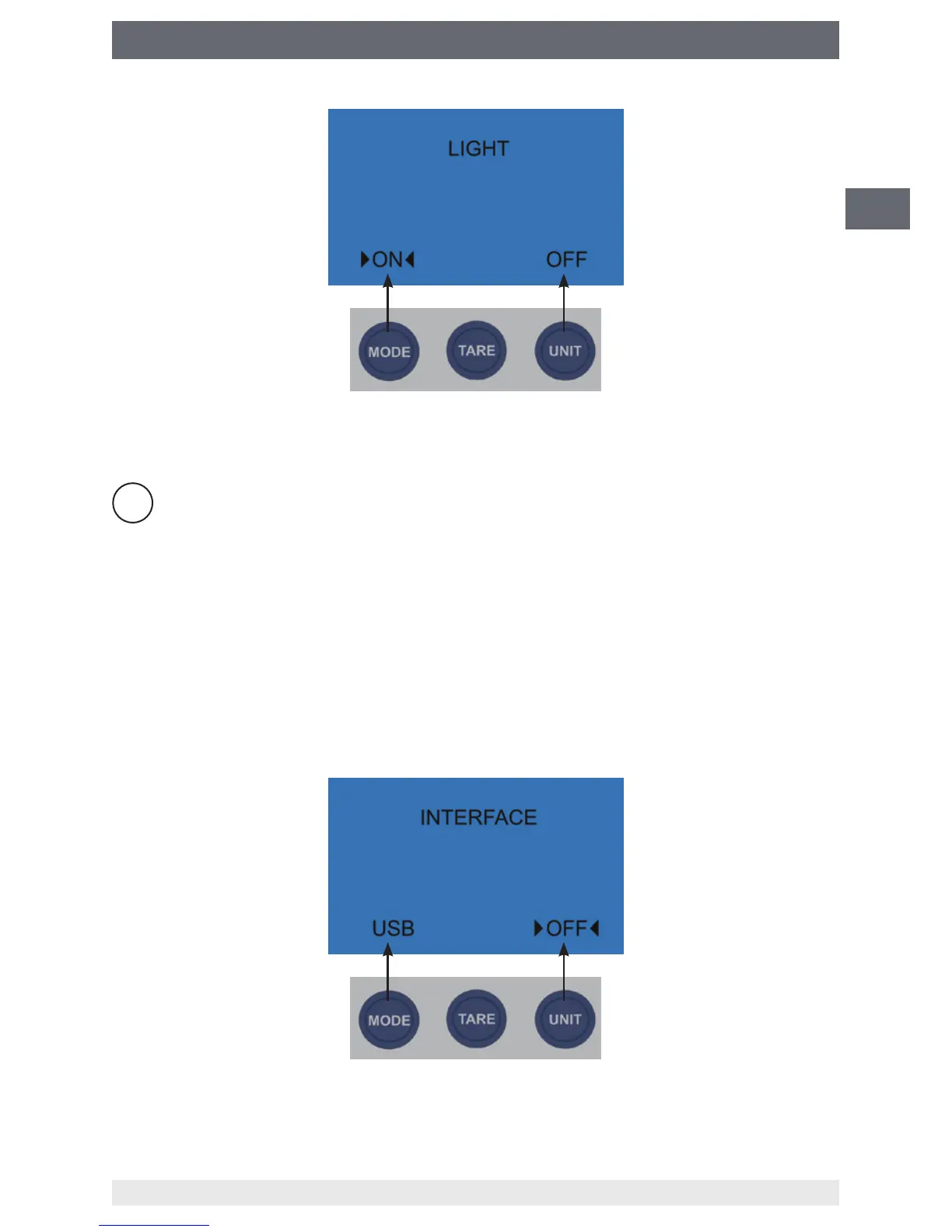
In the "LIGHT" FUNC menu item, the backlighting can be switched on via the MODE key
and switched o via the UNIT key.
FUNC
Return to the standard measuring mode by pressing the FUNC key several
times.
6.8.2 USB interface (INTERFACE)
Via the FUNC key various congurations can be achieved, e.g. the USB interface can be
activated or deactivated.
Activating the USB interface menu item (INTERFACE)
Pressing the FUNC key twice* (directly within the measuring mode).
* If you already are in a FUNC menu item, press the FUNC key until the "INTERFACE" menu item appears.
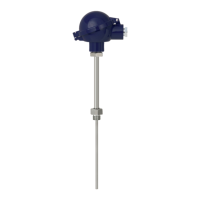
In the "INTERFACE" FUNC menu item, the USB interface can be activated via the MODE
key and deactivated via the UNIT key.



 To Next Page