EasyManua.ls Logo

Wildgame t5i20 - Setting Time; Setting the Hour; Setting the Minutes

Wildgame t5i20
18 pages
Print Icon
To Next Page IconTo Next Page
To Previous Page IconTo Previous Page
Loading...
page 6
Power Save
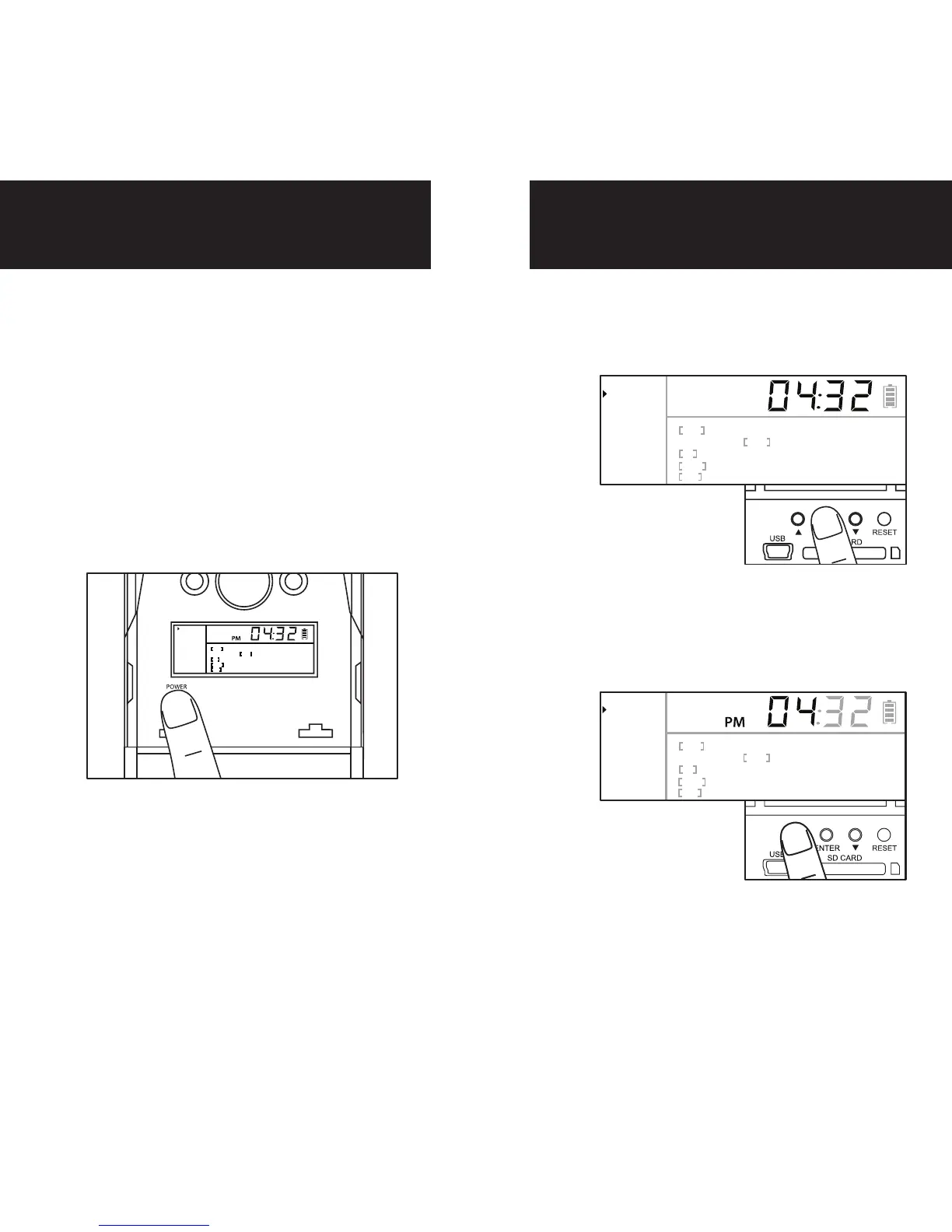
Setting Time
1.
After 45 seconds without any buttons
being pushed, the LCD will turn off
and camera enters into Power Save
or Ready Mode.
2.
The LCD screen can be awakened by
pressing the Power button briefly.
Note: The LCD will not “wake up”
when camera is writing to memory.
1.
To change date and time, start by
pressing and release the center
navigation button to set the hour.
2.
Press the left or right navigation
button to go up or down in se-
quence.
3.
When the hour is set, repeat
steps 1 and 2 to set the minutes.

Ready
Clock
Date
Photos
Image
PIR
Resolution
Active
Delay
Still Video
Hi Med Lo
Hi Med Lo
24Hr Day Night
15s 30s 1m 2m
Ready
Clock
Date
Photos
Image
PIR
Resolution
Active
Delay
Still Video
Hi Med Lo
Hi Med Lo
24Hr Day Night
15s 30s 1m 2m
PM
Ready
Clock
Date
Photos
Image
PIR
Resolution
Active
Delay
Still Video
Hi Med Lo
Hi Med Lo
24Hr Day Night
15s 30s 1m 2m

Related product manuals