Image
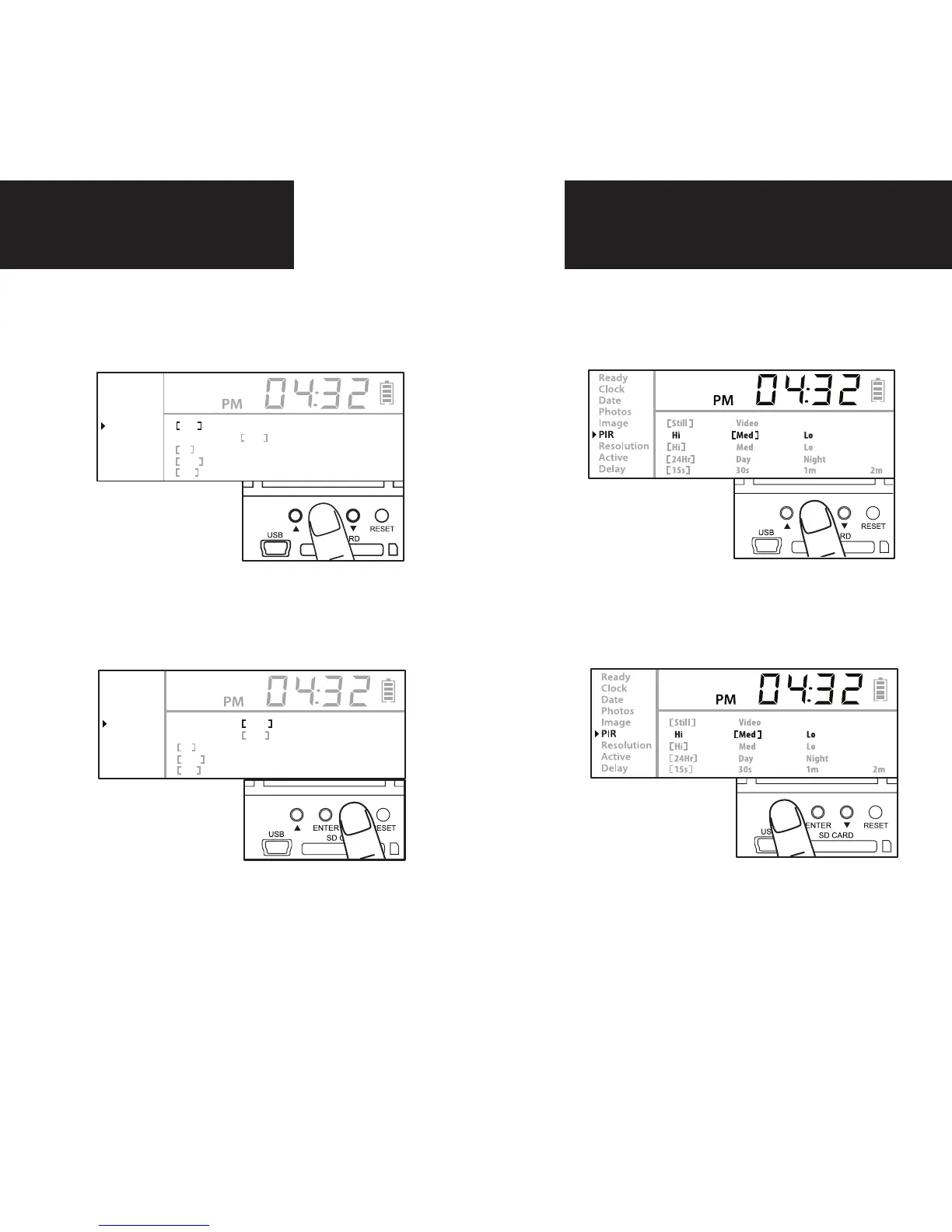
PIR
1.
Press the center navigation button
while PIR is selected. The high-
lighted option will be blinking.
2.
Press the left or right navigation
button to move to different op-
tions. Press the center navigation
button to save the setting.
1.
Press the center navigation button
while Image is selected. The high-
lighted option will be blinking.
2.
Press the left or right navigation
button to move to different op-
tions. Press the center naviga-
tion button to save the setting.
Ready
Clock
Date
Photos
Image
PIR
Resolution
Active
Delay
Still Video
Hi Med Lo
Hi Med Lo
24Hr Day Night
15s 30s 1m 2m
Ready
Clock
Date
Photos
Image
PIR
Resolution
Active
Delay
Still Video
Hi Med Lo
Hi Med Lo
24Hr Day Night
15s 30s 1m 2m
PIR SENSE:
HI: The PIR detects the smallest movement.
MED: (Default) The PIR detects most com-
mon size movements.
LO: The PIR detects only larger movements.
page 8


 To Next Page