EasyManua.ls Logo

Wilson Electronics weBoost Drive Reach RV - User Manual

Wilson Electronics weBoost Drive Reach RV
27 pages
Print Icon
To Next Page IconTo Next Page
Loading...
·==
weboost
A
Wilson
Electronics
Brand
rt.
==
we
boost. < >
..
Installation Guide
\
Drive Reach RV
Cell Signal Booster

Other manuals for Wilson Electronics weBoost Drive Reach RV

Question and Answer IconNeed help?

Do you have a question about the Wilson Electronics weBoost Drive Reach RV and is the answer not in the manual?

Summary

Package Contents

STEP 1 Mount Outside Antenna & Route Cable

STEP 2 Connect Cable to Outside Antenna

STEP 3 Inside Antenna Location & Connect Cable

STEP 4 Booster Location & Connect Cables

STEP 5 Connect Power Supply to Booster

Booster Light Patterns

Troubleshooting

FIXING BLINKING OR RED LIGHT ISSUES

Specific steps to resolve blinking or red indicator lights on the booster.

FREQUENTLY ASKED QUESTIONS

Answers to common queries regarding booster operation and installation.

Safety Guidelines

Antenna Info

Specifications

2 YEAR WARRANTY

Diagram

Drive Reach RV Product Overview

FEATURES

Highlights the main capabilities and advantages of the Drive Reach RV booster.

Kit Includes

Lists all the items provided in the Drive Reach RV booster package.

About

General information about the Drive Reach RV, its purpose, and performance.

Installation

Package Dimensions

Dimensions of the booster unit and its packaging.

Support

Contact information and resources for customer support and warranty.

Overview

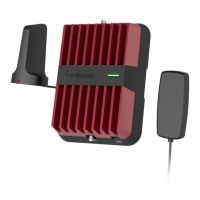
The weBoost Drive Reach RV is a versatile, multi-user, in-vehicle cell signal booster designed for use with all RV classes and towable trailers. Its primary function is to enhance cellular signal strength, providing improved voice quality, fewer dropped calls, faster data speeds, better streaming, and enhanced hotspot capability. The device is FCC-approved and comes with a 2-year warranty.

Function Description:

The Drive Reach RV operates by receiving weak cellular signals from an outside antenna, amplifying them through a booster unit, and then rebroadcasting the stronger signal inside the RV via an inside antenna. This process creates a "sphere of signal" around both the inside and outside antennas. To prevent a condition called oscillation (which can cause the booster to scale down its power or shut down), it's crucial to maximize the separation between the inside and outside antennas. The system is designed to amplify and not alter incoming and outgoing signals, ensuring compliance with authorized frequency bands. If the booster is not in use for five minutes, it will reduce gain until a signal is detected. It also has safety features to automatically turn off power on problematic bands if a signal is too high or if oscillation is detected, resuming normal operation after a minimum of 1 minute. After five such automatic restarts, any problematic bands are permanently shut off until manually restarted by removing and reapplying power.

Important Technical Specifications:

  • Model: 470061
  • FCC ID: PWO460061
  • Connectors: SMB-Jack
  • Antenna Impedance: 50 Ohms
  • Frequencies:
    • 698-716 MHz (Band 12/17)
    • 728-756 MHz (Band 13)
    • 777-787 MHz
    • 824-894 MHz (Band 5)
    • 1850-1995 MHz (Band 25/2)
    • 1710-1755/2110-2155 MHz (Band 4)
  • Power Output for Single Cell Phone (Uplink):
    • 700 MHz B12/17: 25.4 dBm
    • 700 MHz B13: 25.6 dBm
    • 800 MHz B5: 25.6 dBm
    • 1700 MHz B4: 26.7 dBm
    • 1900 MHz B2: 26.9 dBm
  • Power Output for Single Cell Phone (Downlink):
    • 700 MHz B12/17: 4.8 dBm
    • 700 MHz B13: 4.8 dBm
    • 800 MHz B5: 4.8 dBm
    • 1700 MHz B4: 4.6 dBm
    • 1900 MHz B2: 4.5 dBm
  • Noise Figure: 5 dB (nominal)
  • Isolation: > 90 dB
  • Power Requirements: 5V, 4.5A
  • Max Gain: 50 dB
  • Booster Dimensions: 6 x 4.5 x 1.5 inches
  • Booster Weight: 1.8 lbs
  • Package Dimensions: 21 L x 11.5 W x 3.75 H
  • Package Weight: 7.6 lbs
  • Master Carton Dimensions: 22 L x 18.5 W x 12.5 H
  • Master Carton Weight: 33.87 lbs (QTY 5)

Usage Features:

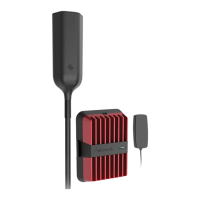
The Drive Reach RV kit includes everything needed for DIY installation. The modular antenna design allows for custom setup and optimal positioning for signal reception. The outside antenna fits universal CB mounts (3/8-24 thread) and includes a spring base to protect it from wind and low branches. An L-Bracket Mount and hardware are provided for mounting the outside antenna to a ladder or pole, ensuring it is above the RV's roofline and clear of metal obstructions. The kit includes a 25' RG-6 cable for connecting the outside antenna to the booster and an inside antenna with an RG-58 cable. The booster unit should be secured with the provided bracket. Power is supplied via a 110V wall plug. The system is compatible with all cell phones, hotspots, cellular-connected tablets, and other cell devices on all US mobile carriers, including Verizon, Sprint, AT&T, and T-Mobile.

Booster Light Patterns:

  • SOLID GREEN: Indicates proper functioning and no installation issues.
  • SOLID RED: Indicates a band shutoff due to oscillation (feedback loop). This is a safety feature to prevent harmful interference with nearby cell towers. Troubleshooting involves unplugging the power supply, relocating antennas further apart to increase separation, and then plugging the power supply back in.
  • BLINKING RED, THEN SOLID GREEN: Indicates one or more booster bands have reduced power due to a minor oscillation. If desired signal boost is achieved, no further adjustments are necessary. Otherwise, troubleshooting steps (relocating antennas) should be followed.
  • LIGHT OFF: Verify the power supply has power.

Maintenance Features:

  • Troubleshooting: For red or blinking red light issues, the primary solution is to increase the separation distance between the inside and outside antennas. This involves unplugging the power supply, relocating the antennas, and then plugging the power supply back in. Horizontal separation typically requires a shorter distance than vertical separation.
  • Resetting the Booster: The signal booster can be reset by disconnecting and reconnecting the power supply. After troubleshooting, a new power cycle must be initiated by disconnecting and then reconnecting power to the booster.
  • Customer Support: Assistance is available Monday through Friday by calling 866.294.1660 or through the support site at support.weboost.com.
  • Warranty: The device comes with a two (2) year warranty against defects in workmanship and/or materials. Warranty claims can be resolved by returning the product to the reseller with proof of purchase or directly to the manufacturer with a Returned Material Authorization (RMA) number. The warranty does not cover misuse, abuse, neglect, or mishandling. Replacement products may include refurbished units.

Safety Guidelines:

  • Use only the power supply provided in the package.
  • Do not connect the signal booster directly to a cell phone with an adapter.
  • Any antenna used with this device must be located at least 8 inches (20 cm) from all persons.
  • The outside antenna must be installed no higher than 10 meters (31'9") above ground.
  • This is a CONSUMER device and MUST be registered with your wireless provider.
  • Operate this device with approved antennas and cables as specified by the manufacturer.
  • Cease operation immediately if requested by the FCC or a licensed wireless service provider.
  • E911 location information may not be provided or may be inaccurate for calls served by using this device.

Wilson Electronics weBoost Drive Reach RV Specifications

General IconGeneral
BrandWilson Electronics
ModelweBoost Drive Reach RV
CategoryExtender
LanguageEnglish

Related product manuals